
Besides using Mozilla Firefox, you can logon to iCRM through Google Chrome browser and print out your invoices, quotations or receipts. Like other browsers, Google Chrome is set by default to include some information (document title, page count, etc) during print out. Some users may deem the invoice, quotations or receipts less presentable with the extra information.
With this short tutorial we will show you how to change the print settings in your Google Chrome browser, not to include the header and footer when printing.
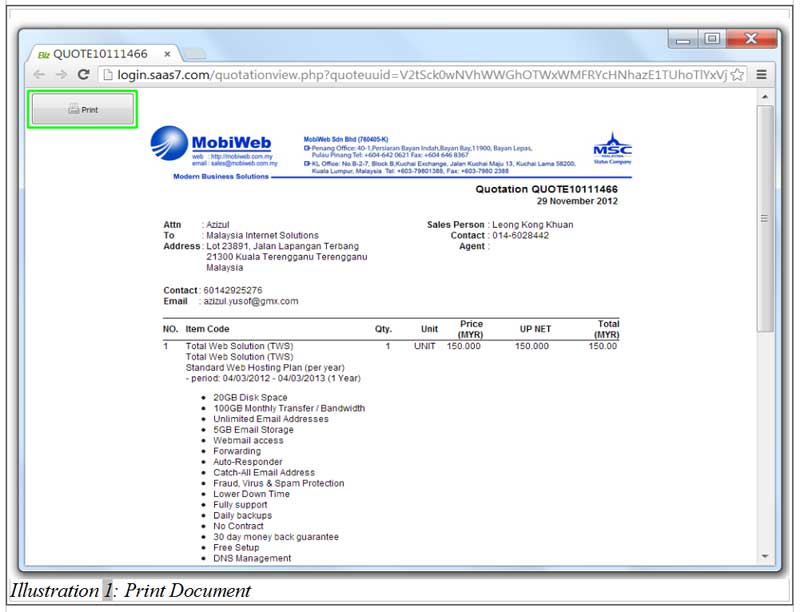
1. Click on the Print Button on your top left corner of your Google Chrome Browser.
Please click on image to view clearer.
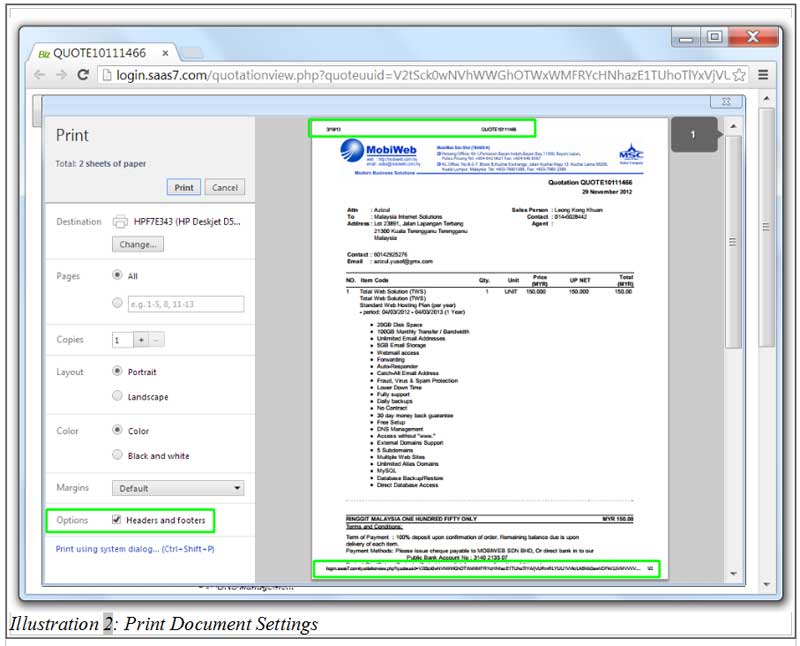
2. You will see a preview of your document ready to be printed out. The preview includes the additional information such as header and footer.
You can uncheck the box for “Headers & Footers” to exclude them in your print out.
Please click on image to view clearer.
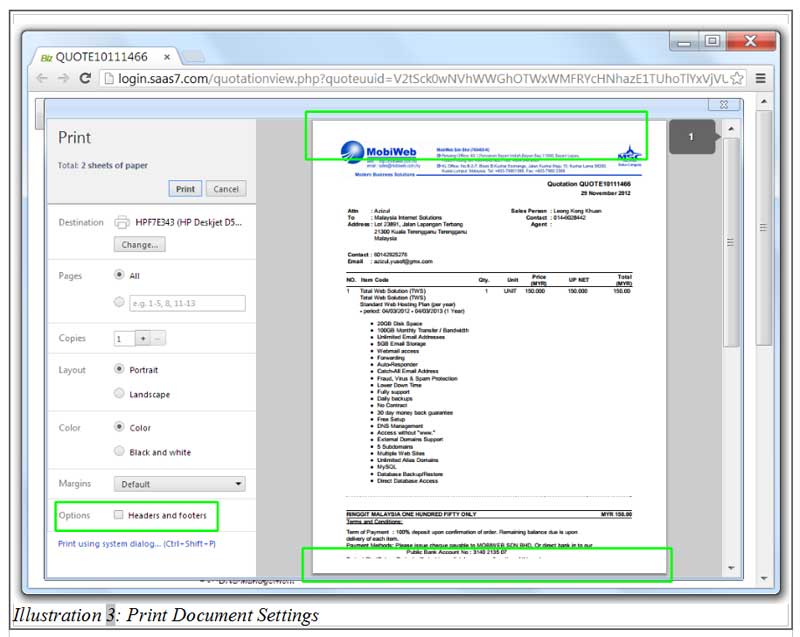
3. Immediately after the box is unchecked, the headers and footers will be removed. You may print your document now.
Please click on image to view clearer.