
Company Events and Activities
Does your company often hold events such as seminars, training and gathering? This Event feature may come into good use as you can track all events at your company that you have entered into the system. This feature saves the date, day, time, customers, venue, cost and description in detail. You can set three reminder dates to follow up events when the dates are around the corner.
To Add New Event
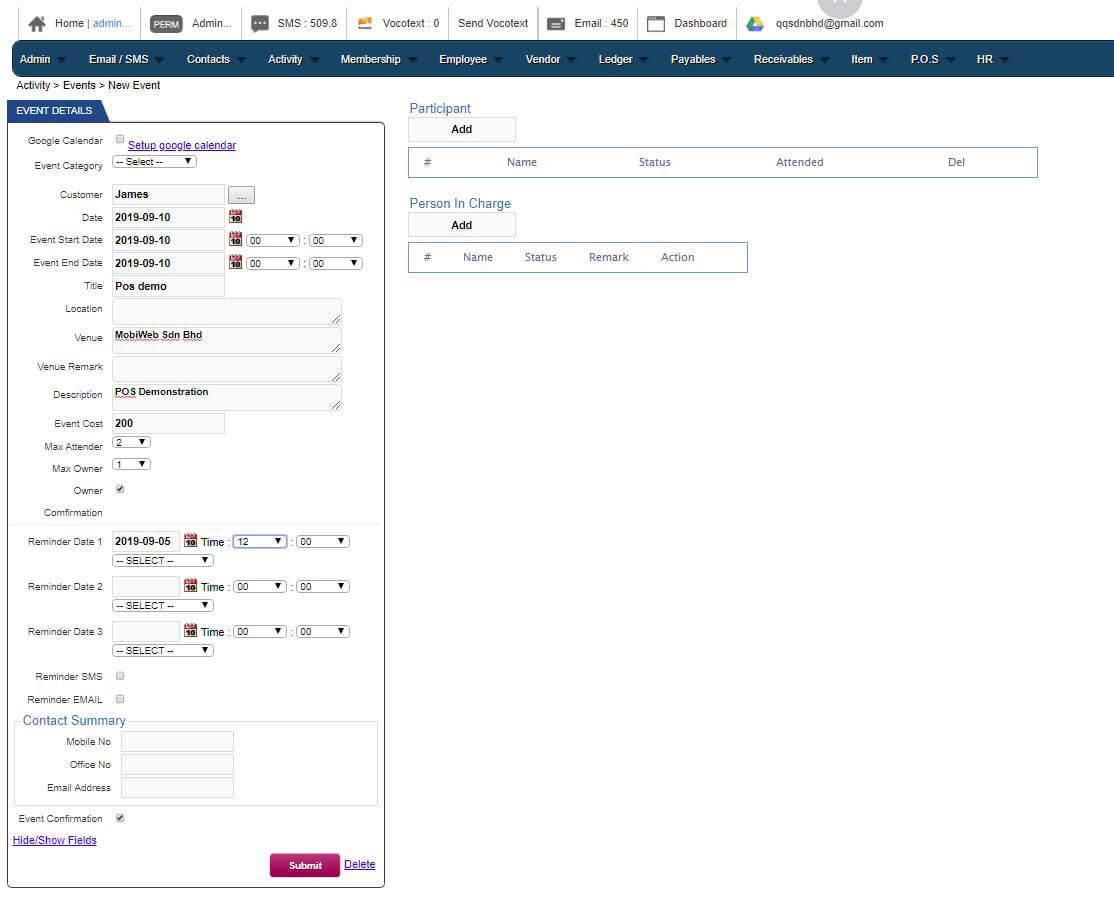
Go to Activity > Events > New Event to add new event into your CRM data. This is very handy as it includes many details for you to fill in and also built-in reminders to your customers and employees so that they do not miss attending the event or activity.
To View Event List
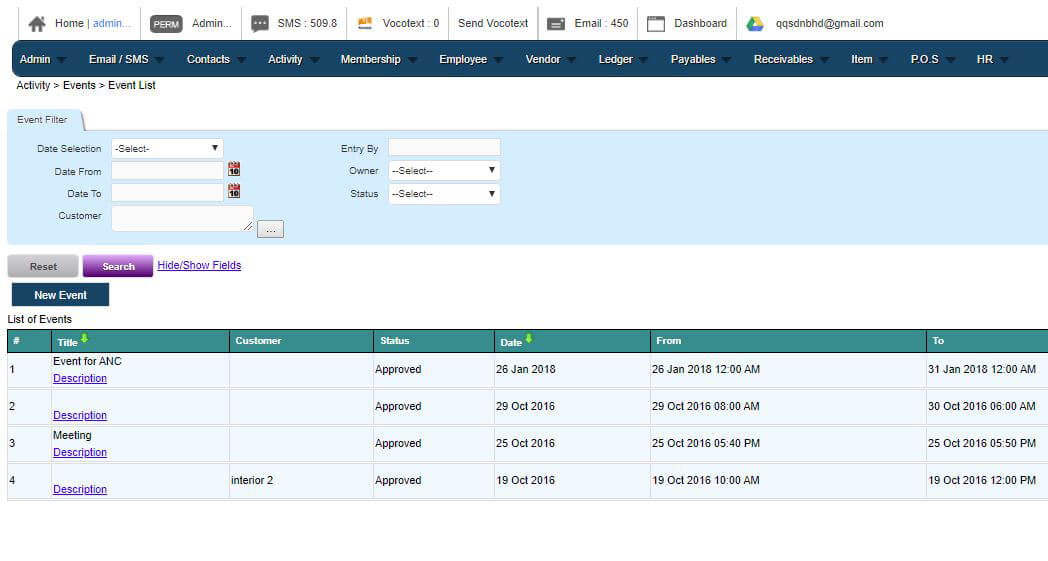
You can view the full list of events and activities by going to Activity > Events > Event List. You are able to see the numbers of events you’re currently holding. You may also keep track of their status and sort them out by date.
To View in Activity Calendar
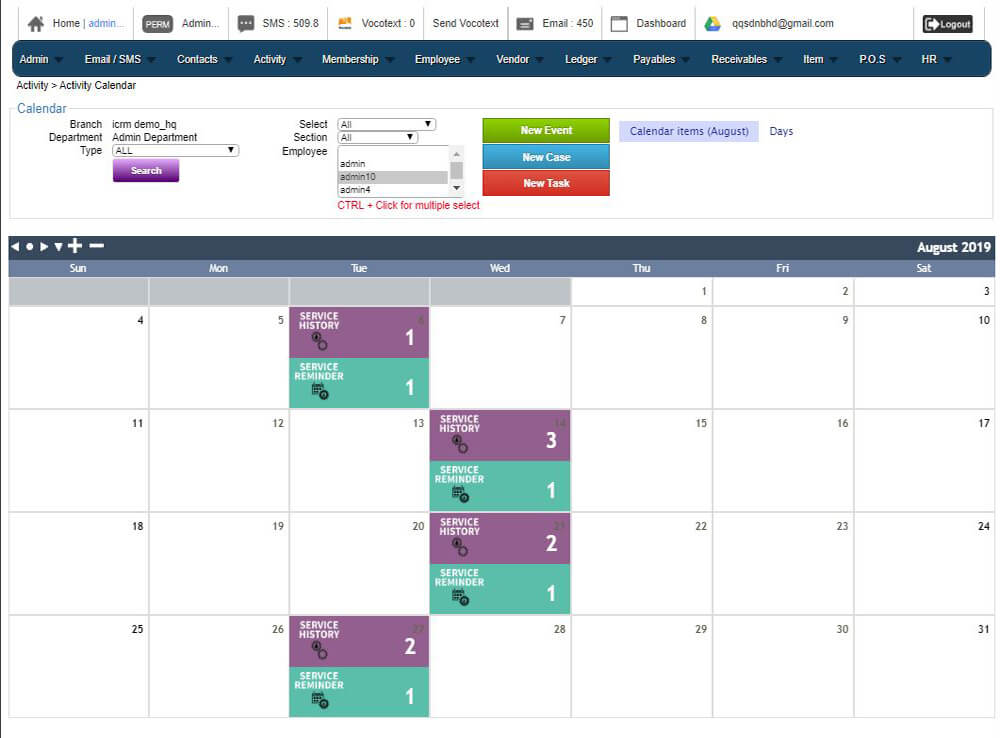
Any events or activities that you have included will automatically appear in the Activity calendar. This is to assist you with time management, event planning and also act as a reminder if there is anything happening on that particular date.
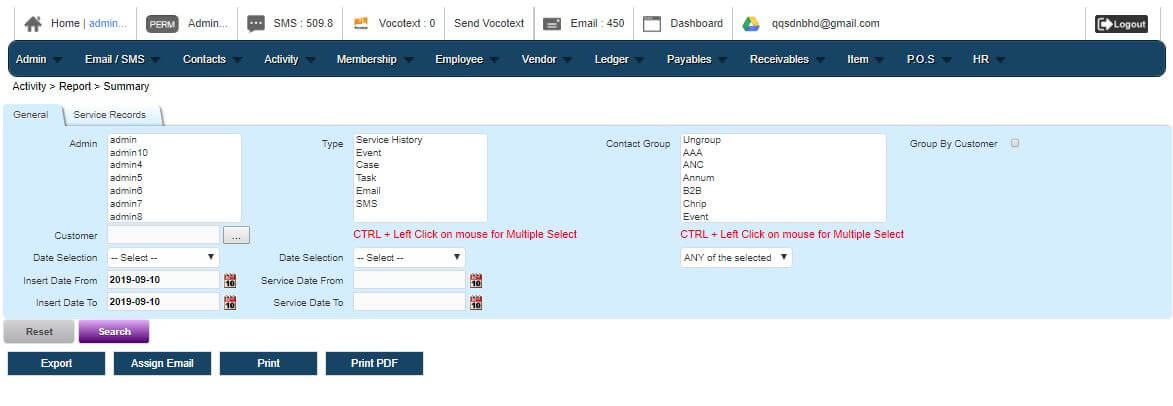
Activity Report Summary
If your company keeps track of events and activities as a journal, this is a section where you can include the Activity Summary Report.