
What can you carry out in the CRM System with iSMS features?
 Manage customer contact details systematically
 Communicate with all clients or groups via VoIP feature
 Keep track of past services for specific clients in a service report
Call Centers
Notify clients on updates
Inform users on promotions
Get feedback from customers

Banks
Send notification on transactions
Payment due date reminder
Keep records of bank loans

Retail
Keep track of inventories
Provide membership benefits
Inform customers on sales etc

Courier
Store records of client details
Track parcels ordered by buyers
Record payments by customers

Service Agents
Manage customer details
Keep track of all services
Maintenance reminder

Property
Group buyers into categories
Include buyers top locations
Notify clients on properties
Step 2:
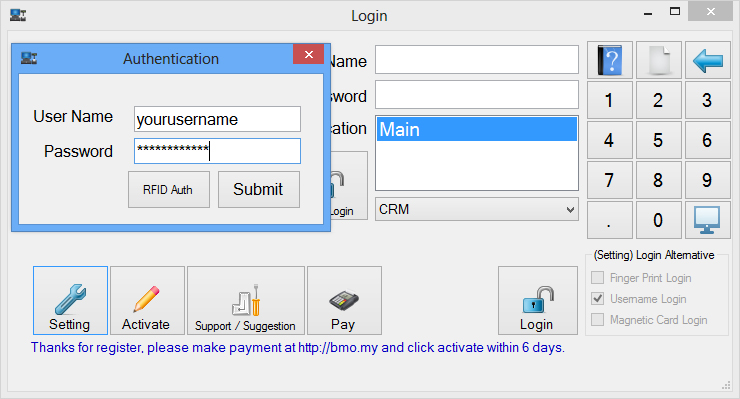
Start the POS Client application after installation. Click the “Setting” button.
Key in your POS Client Username and Password to continue.
Step 3:
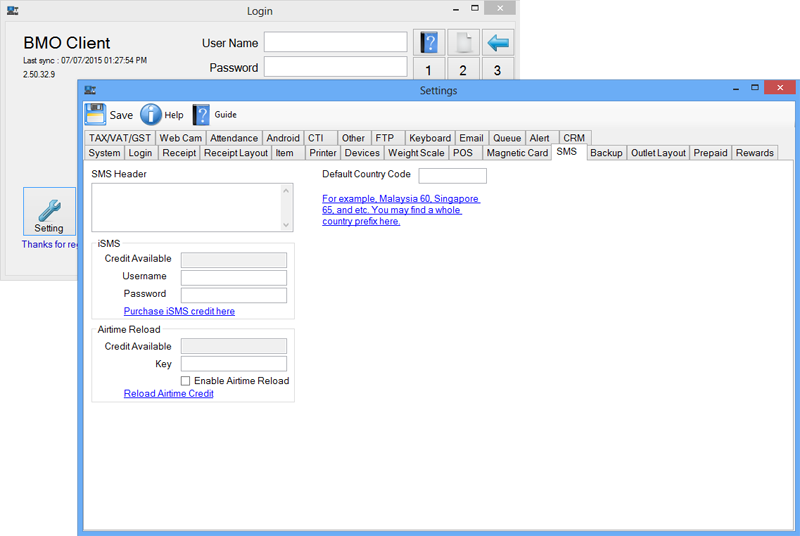
Go to “SMS” tab and key in your iSMS details. Click “Save” on the top left corner.
Close window to go back to the POS Client login interface.
Step 4:
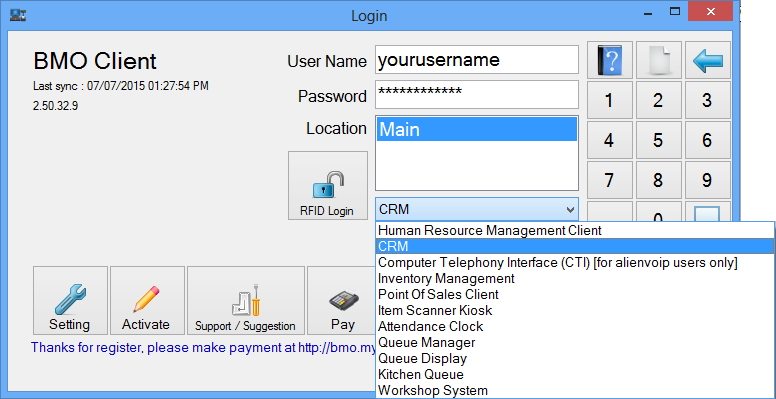
Insert your POS Client username and password then select the CRM option.
Click the Login button.
VoIP Call Feature
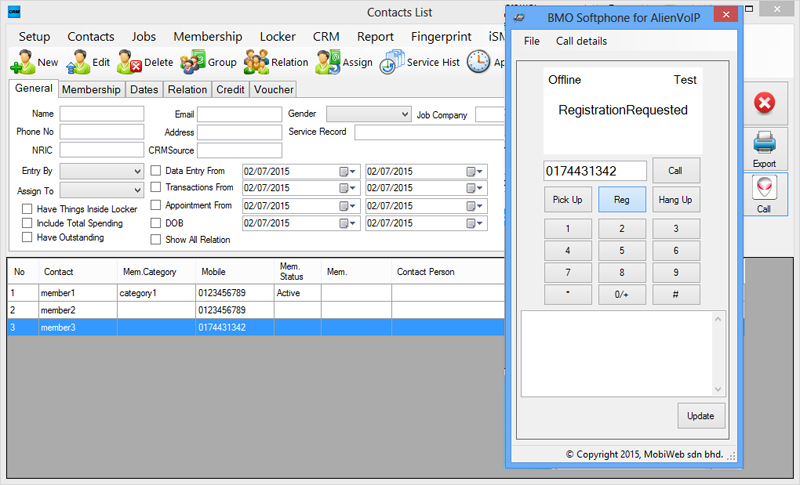
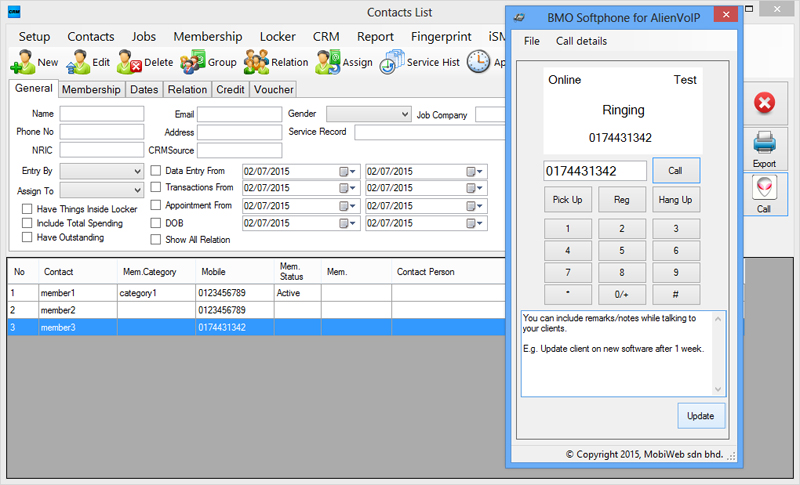
Select a contact/ group. Click on the “Call” and “Reg” buttons in order to call your clients via VoIP while including remarks. View More »
Sending SMS and Email
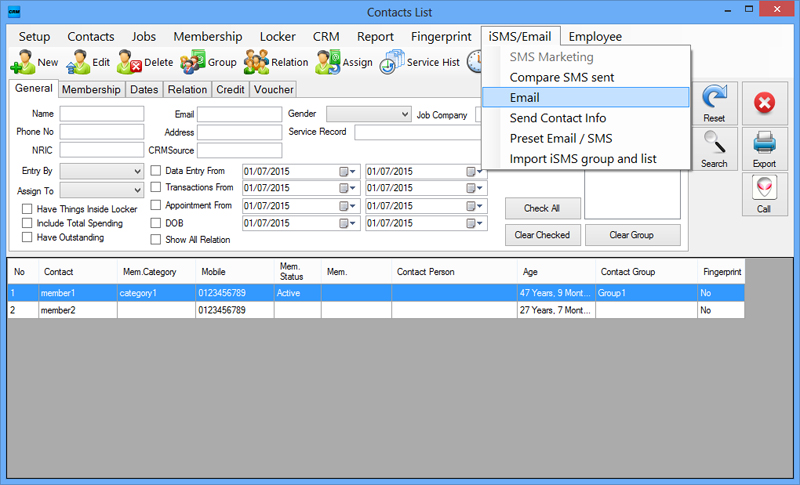
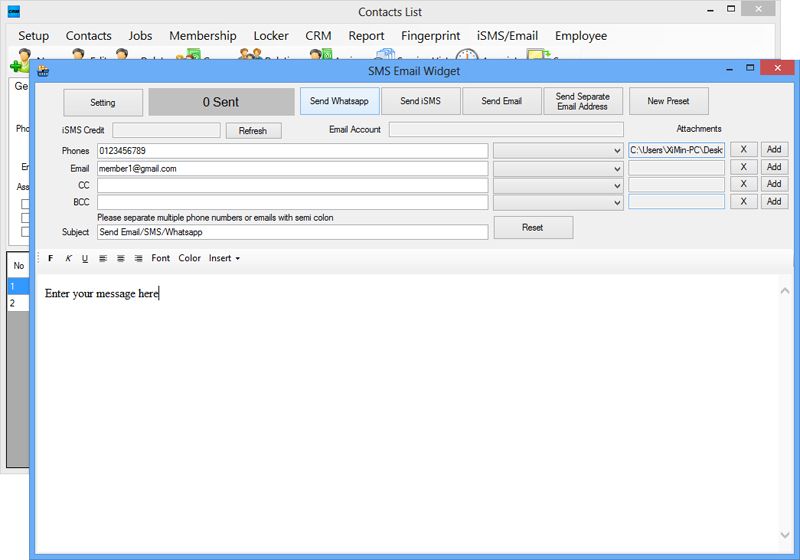
Go to iSMS/Email > Email. Compose your message to be delivered as WhatsApp, SMS or Email. Add Attachments if needed.
Service History Report
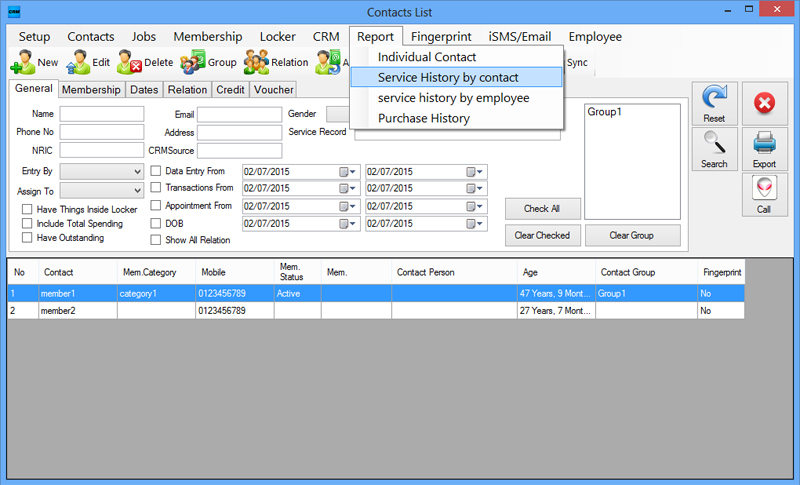
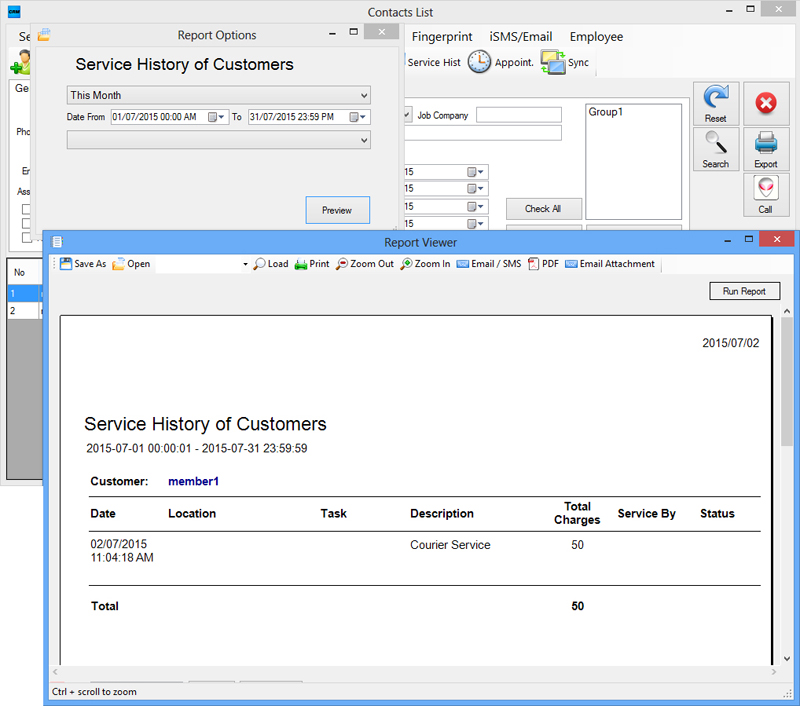
Go to Report > Individual Service History by contact to view past services provided to a specific client.
Setting Contact Group
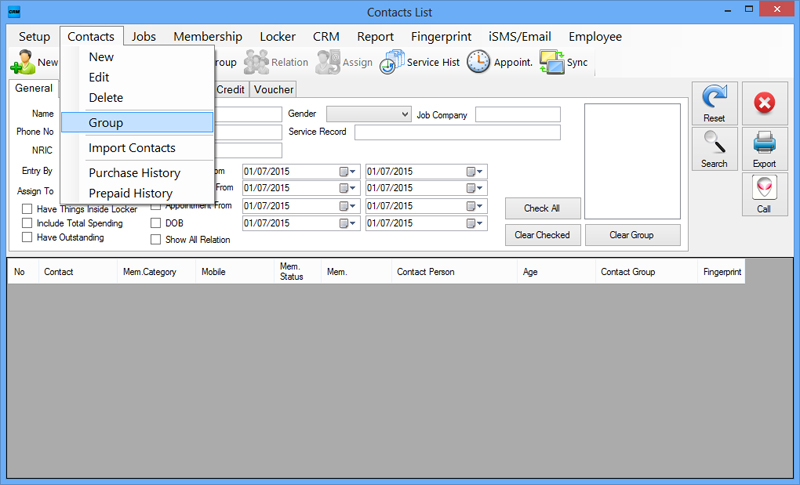
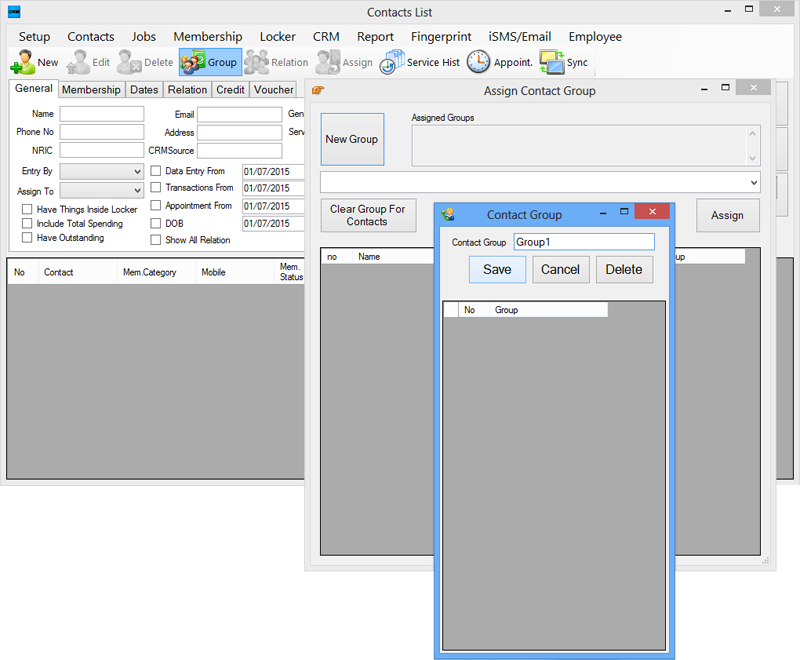
Go to Contacts > Group and click on “Group” tab > “New Group” button. Insert the name of the contact group.
Individual Contact Report
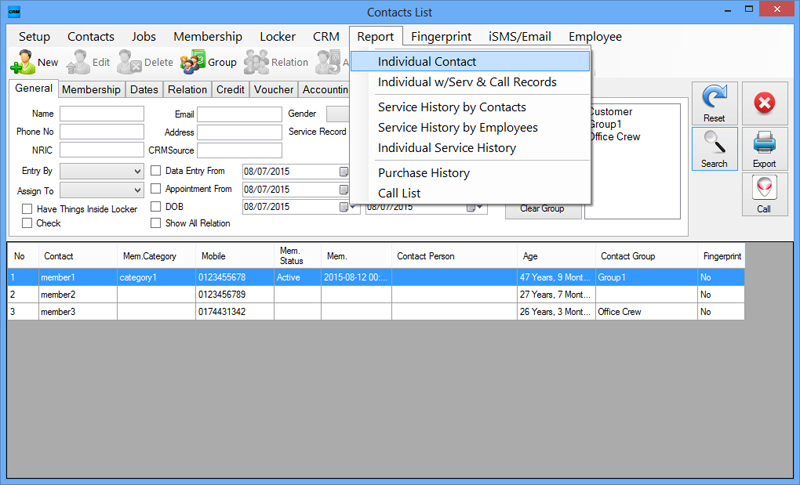
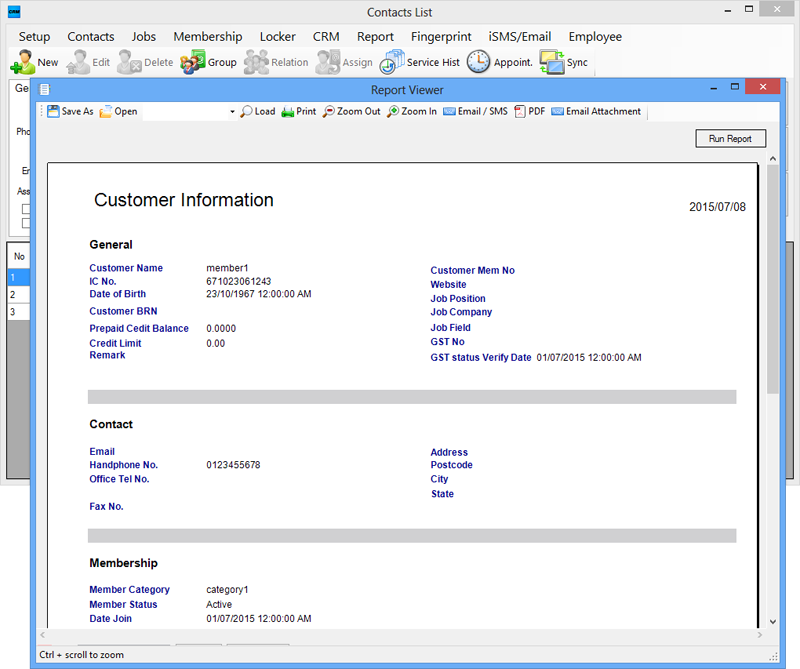
Select a contact from “Contacts List” and go to Report > Individual Contact to view the person’s individual details.
Item Recurrence
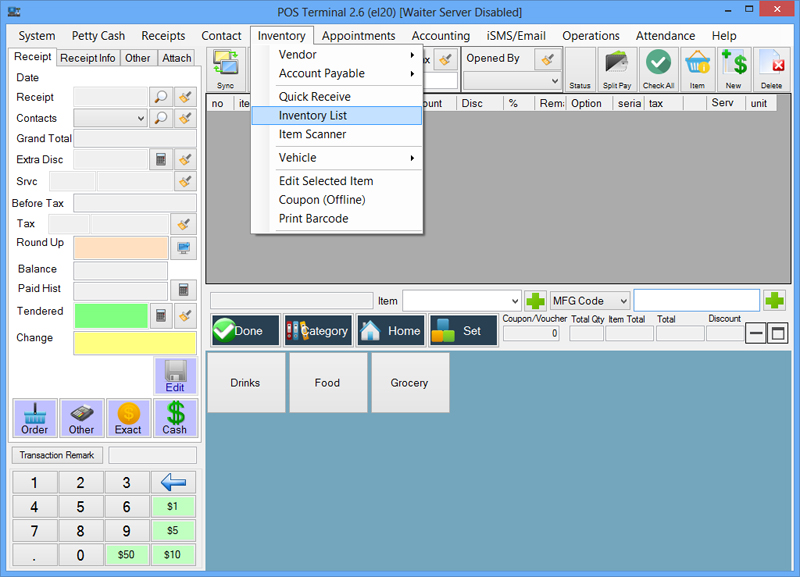
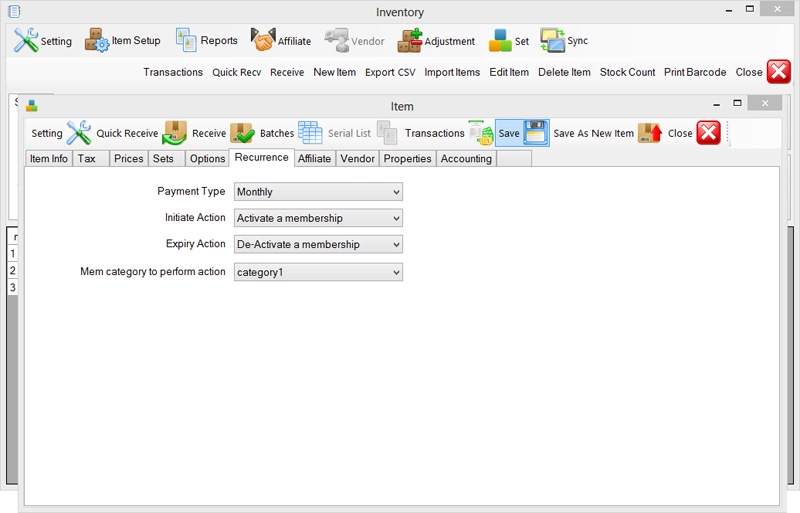
Select “Point of Sales Client” > Inventory > Inventory List. Select an item > Edit Item. Set Recurrence details.
Setting Membership Category
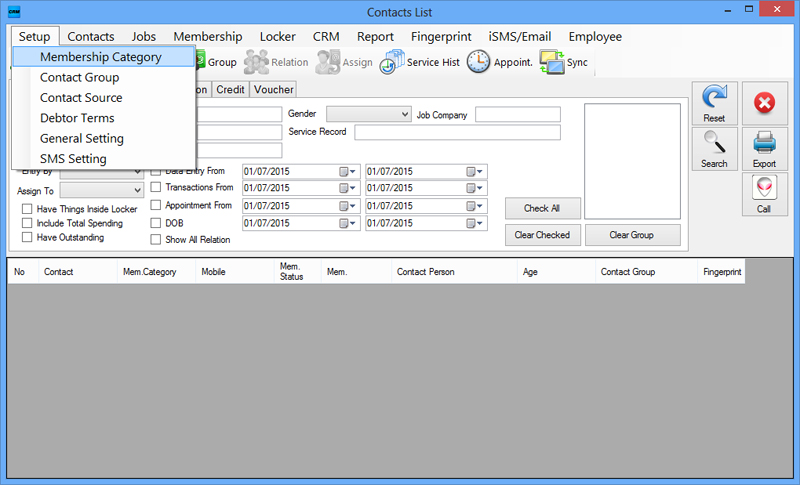
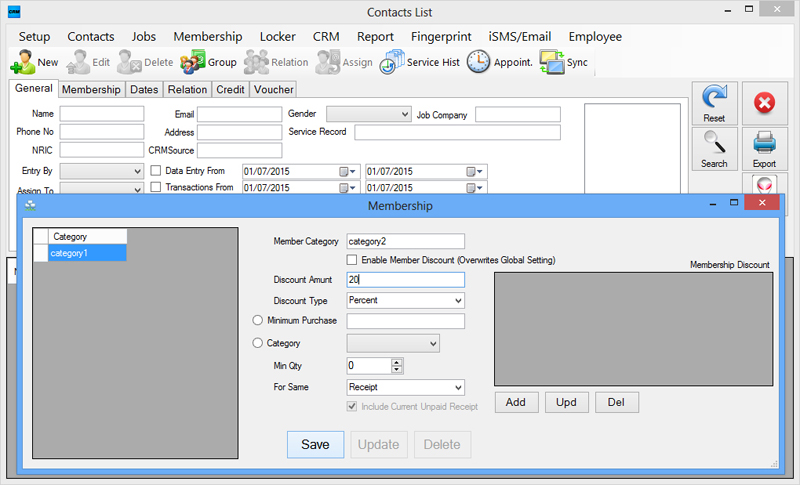
Go to Setup > Membership Category. Name the Member category and insert the amount of discount/ percentage in the required fields.
Saving Contact Details
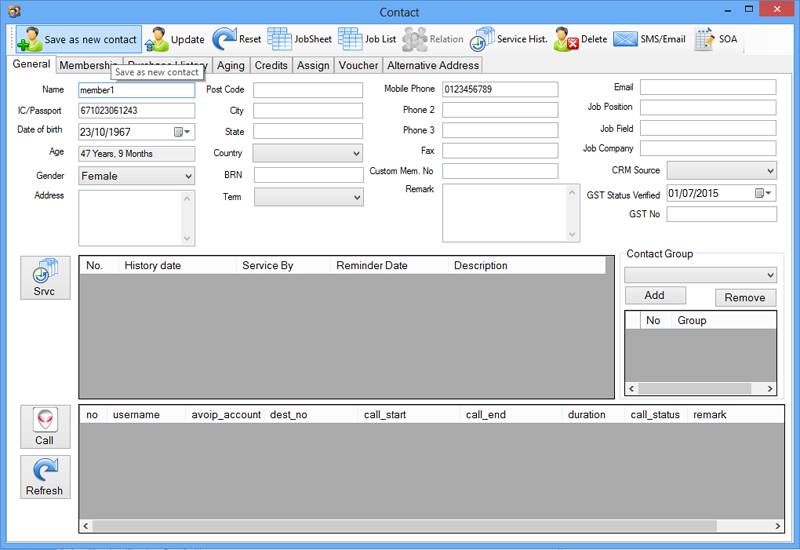
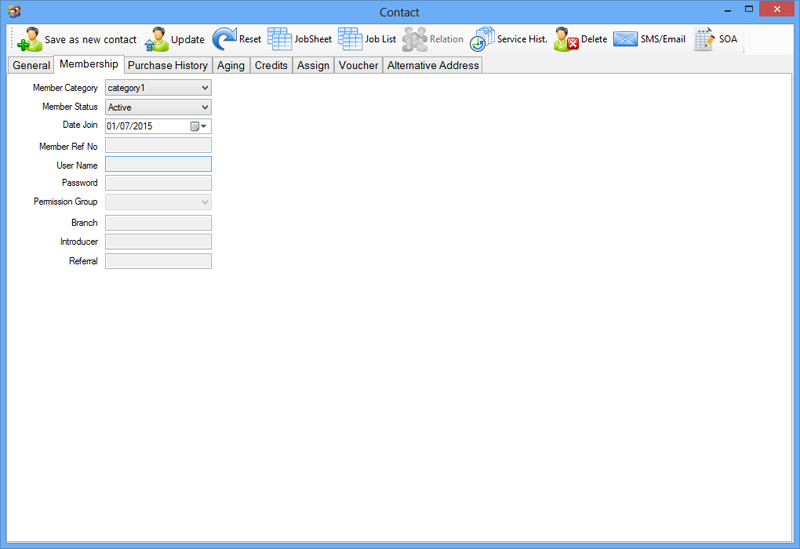
Go to Contacts > New. Insert details and click “Save as New Contact”. Set Membership Category under “Membership” tab.