
As your business grows, your customer contact pool grows as well. Every day your sales team will have to spend part of their time inserting their potential customer’s contacts into the online crm system. Inserting contacts is a mandatory step before you are able to issue invoices, quotations or receipts. Also, it’s the first step in keeping in touch with your potential customers.
CRM Malaysia understands the problem exists in the area. Therefore, we integrated an AI function to help improve efficiency and saves time.
The tutorial below will show you how to create your new contacts quicker.
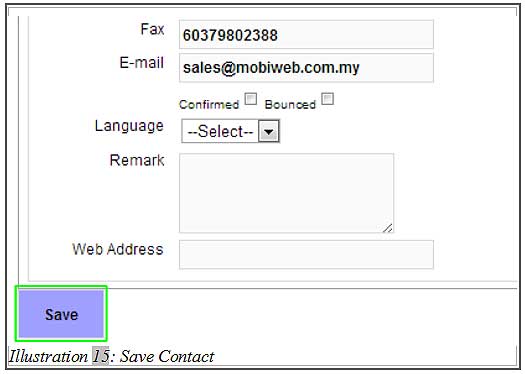
1. When creating new contact (Contacts > New Contact), click on “Paste & Transfer Here” on your top left corner of your browser, just below the navigation menu.
Please click on image to view clearer.
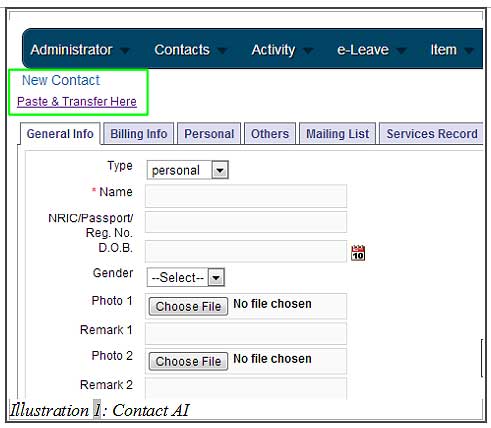
2. After clicking on “Paste & Transfer Here”, a textarea will appear.
Please click on image to view clearer.
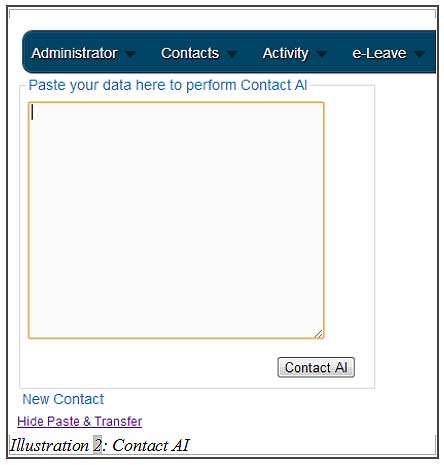
3. Open your customer’s website or document that contains your customer’s contact info. Select and copy it as shown below.
Please click on image to view clearer.
4. Paste the contact information into the text area in step 2.
Please click on image to view clearer.
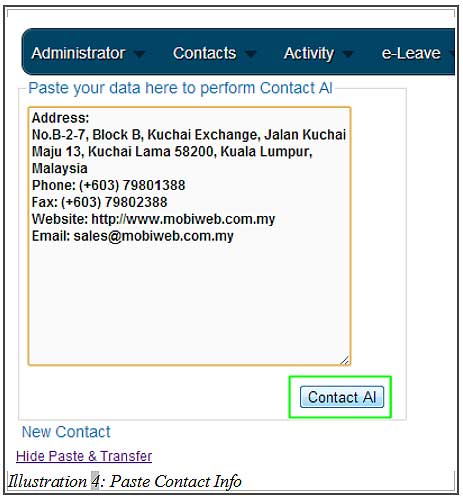
5. Paste the contact information into the text area in step 2.
Please click on image to view clearer.
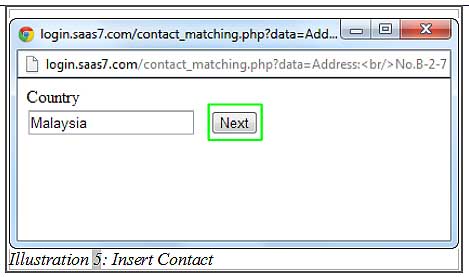
5. You will be prompt to verify the details step by step. If you find the details are incorrect or you want to add more info, you may do so by editing the text in the text fields.
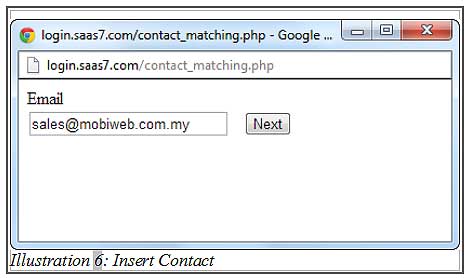
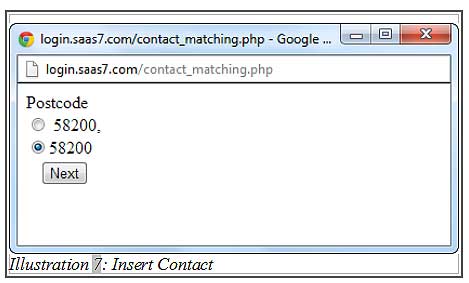
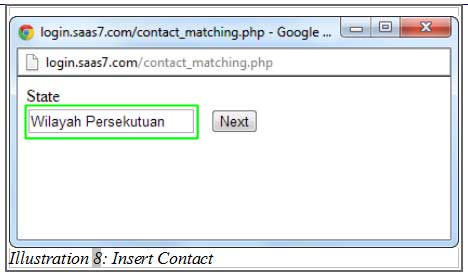
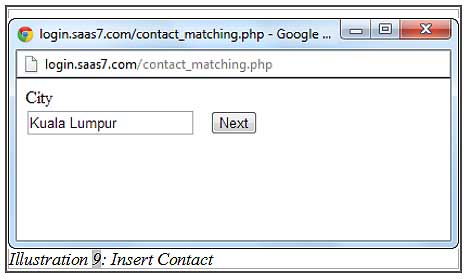
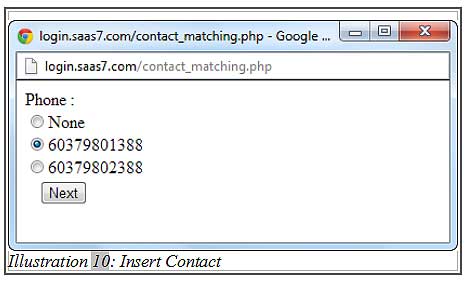
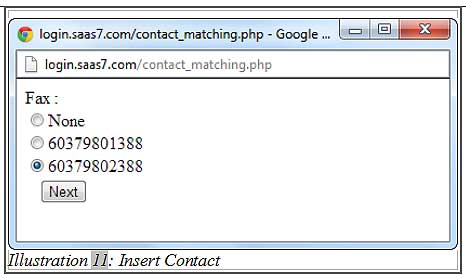
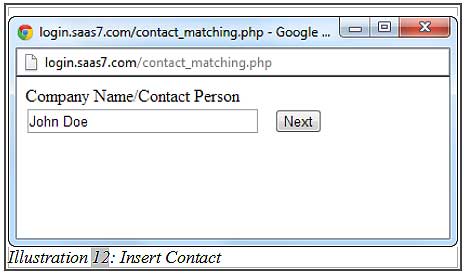
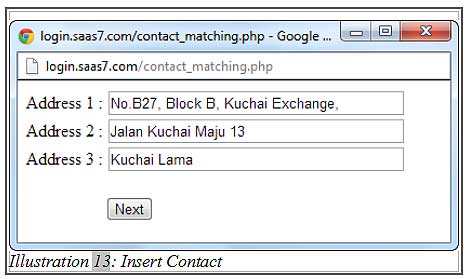
6. In the final step, click “Done” so the information will be inserted automatically into the recognisable fields.
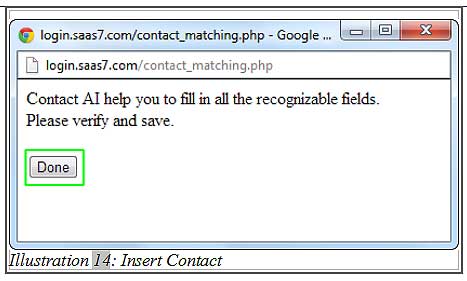
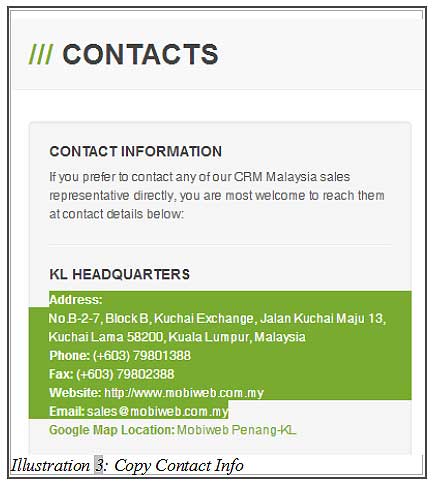
7. At this stage, you may insert other information accordingly (as deemed fit by you or your staff) and once you have confirmed the info is correct, you may click “Save”.