
In CRM Malaysia it is very convenient to insert all the customer’s contact information at one go without any data entry involved. iCRM system has the capability to do this function by uploading a CSV file with its data pre-arranged accordingly.
Below is a short tutorial on how to import customer via contact list.
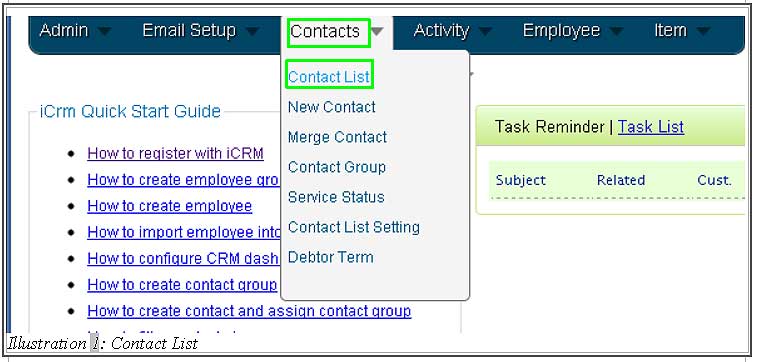
1.Firstly, go to Contacts > Contact List .
Please click on image to view clearer.
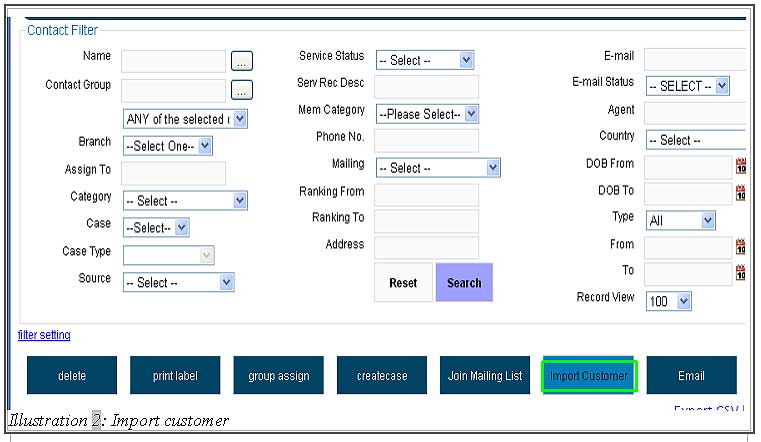
2. Click on Import Customer button to import the contact’s information from your local.
Please click on image to view clearer.
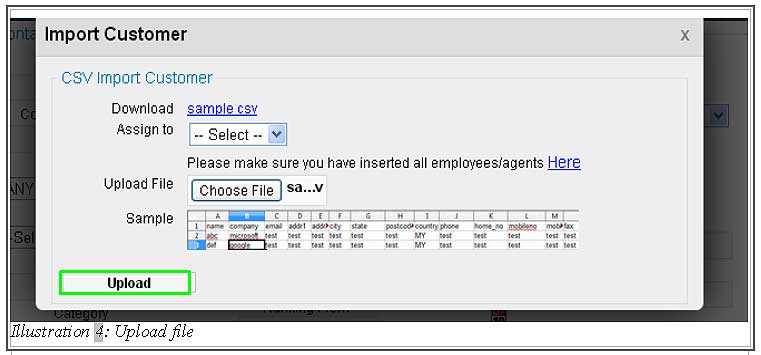
3. After the Import Customer button has been clicked, a pop up will appear as below.
Please download the sample CSV and refer to the CSV sample on how to insert your data correctly before importing the CSV. The categories of the column has to be followed accordingly to prevent wrong data entry.
Please click on image to view clearer.
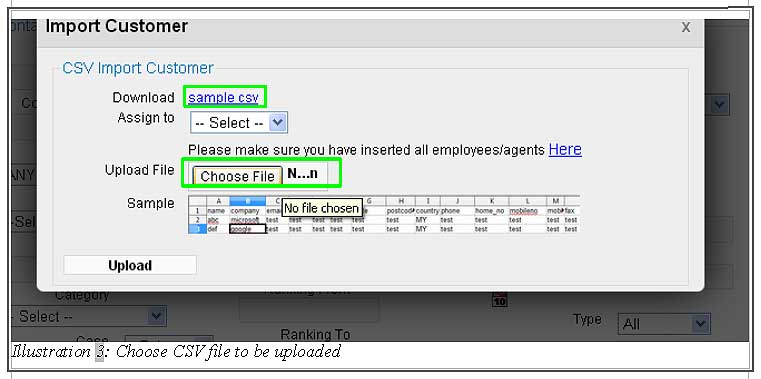
You are now ready to upload the file by clicking Upload.
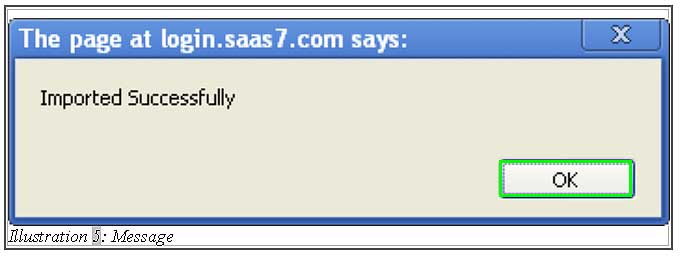
4. The file and the contact’s information has been inserted successfully. You are now able to see the list of your newly created contact information in your contact list’s page.
Please click on image to view clearer.