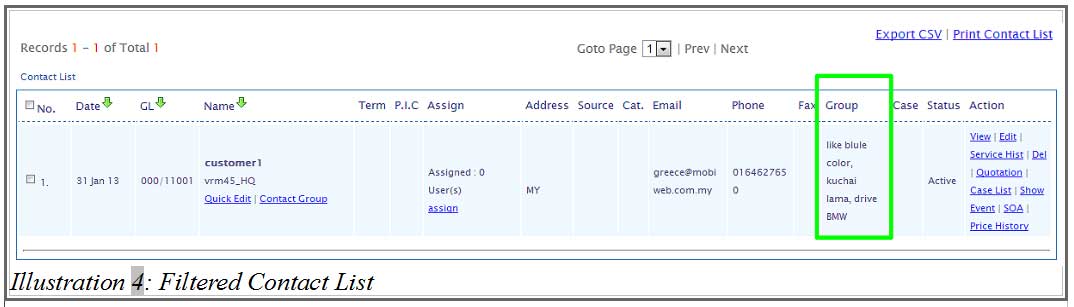

Like we have mentioned in “Create Group” tutorial, users can define contacts by any label such as types of hobbies, cars, etc for the group.
The contact group will be used to filter the contact list and allows you to filter the correct group of customers you want. Regardless the contact is listed under various contact groups, and not just a single group.
The ability of adding a contact in into multiple contact groups and then filtering them accordingly, allows business owners like you to target the correct group of customers when launching your email marketing or sms marketing campaign.
1. Login to your iCRM account at http://www.icrm.com.my/loginregister/.
Go to Contacts > Contact List and click on the button shown below.
Please click on image to view clearer.
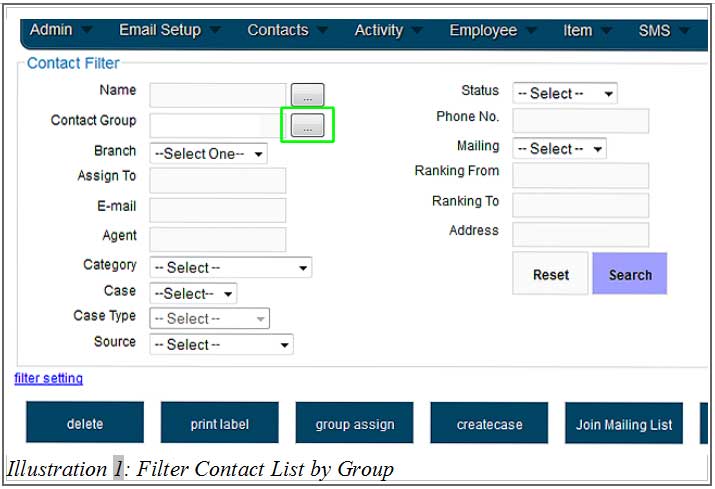
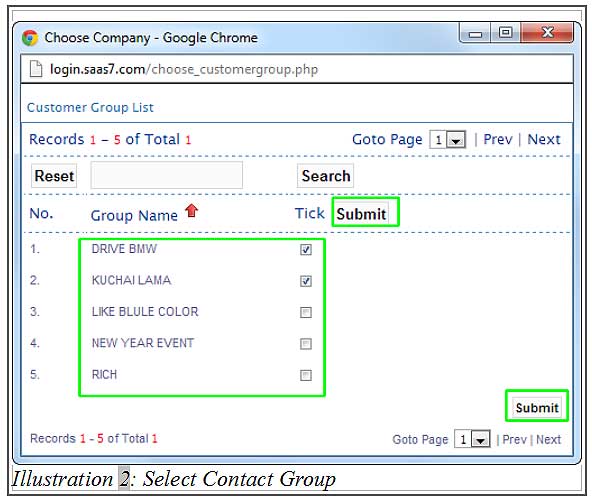
2. Select the contact groups which you would like to use to filter your contacts. Just check the boxes and click “Submit”.
Please click on image to view clearer.
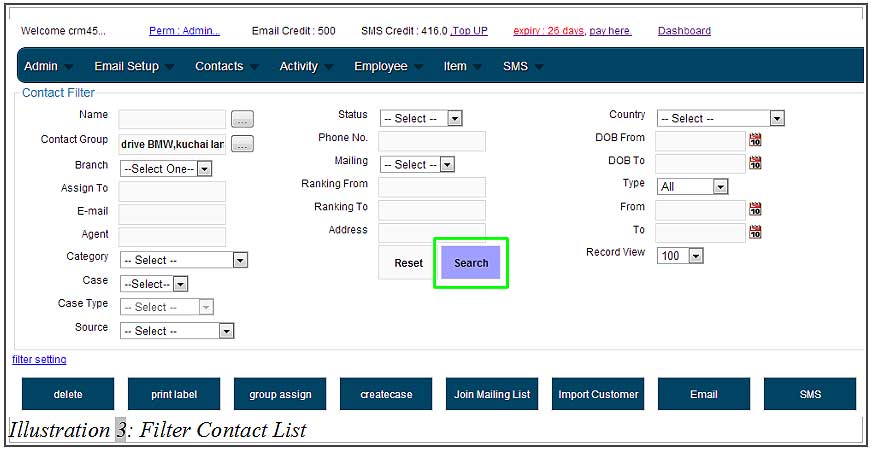
3. After selecting the contact groups, click “Search”.
Please click on image to view clearer.
4. Your contact list will be filtered and results will appear base on the contact group you have selected in Step 2.
Please click HERE to learn how to create Contact Groups.
Please click on image to view clearer.