
Sometimes your sales person or agents are in a rush and they urgently need to check if they had missed any unattended customers.
In this case, CRM Malaysia, a complete web-based, online CRM system comes in handy. All your employees who have an account with us, can have access to specific service records or track their complete customer service history for any customer
They can do so by searching their contacts based on Service Status or Service Record Description.
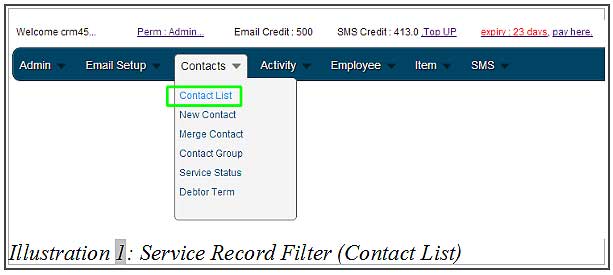
1. Login to your iCRM account at http://www.icrm.com.my/loginregister/. Go to Contacts > Contact List.
Please click on image to view clearer.
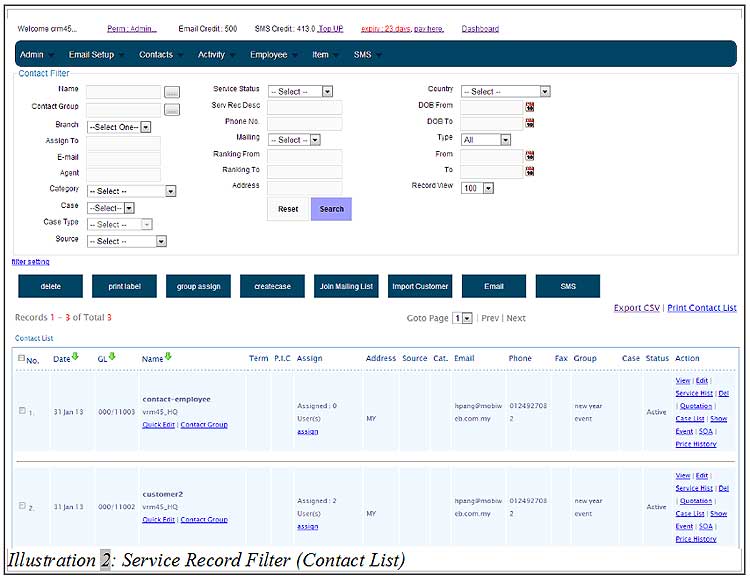
2. Contact List will be generated below the Contact Filters.
Please click on image to view clearer.
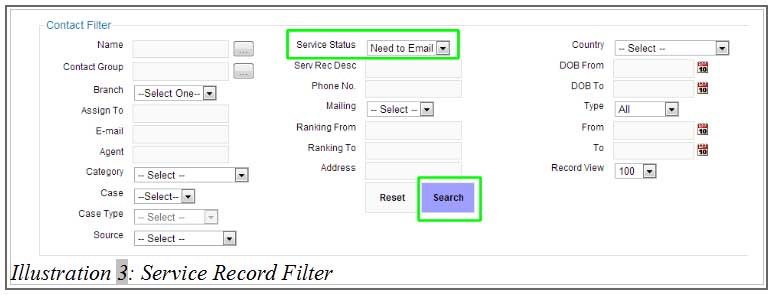
3. To filter your contact list by service status, select a status from Service Status. Click “Search”.
Please click on image to view clearer.
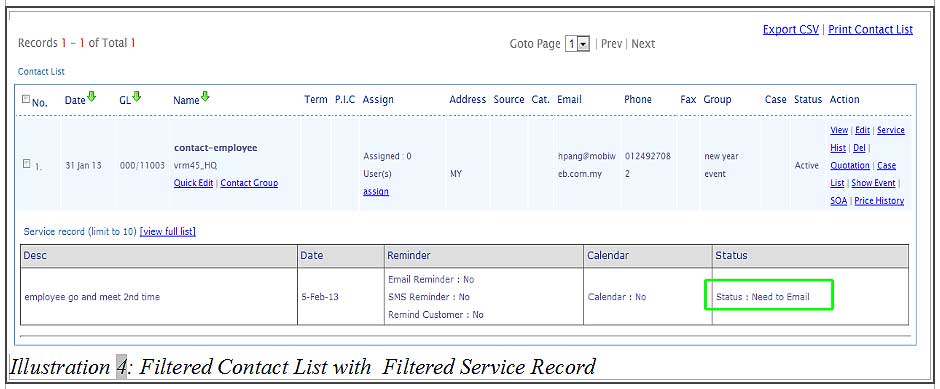
4. The contact list with the service status you selected will be generated as shown below.
Please click on image to view clearer.
5. If you plan to filter your contacts by “Description”, you may insert some text as shown below.
Please click on image to view clearer.
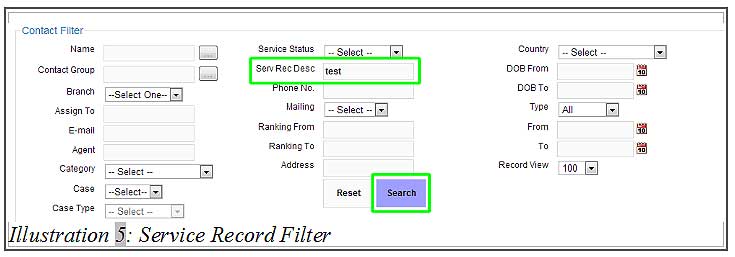
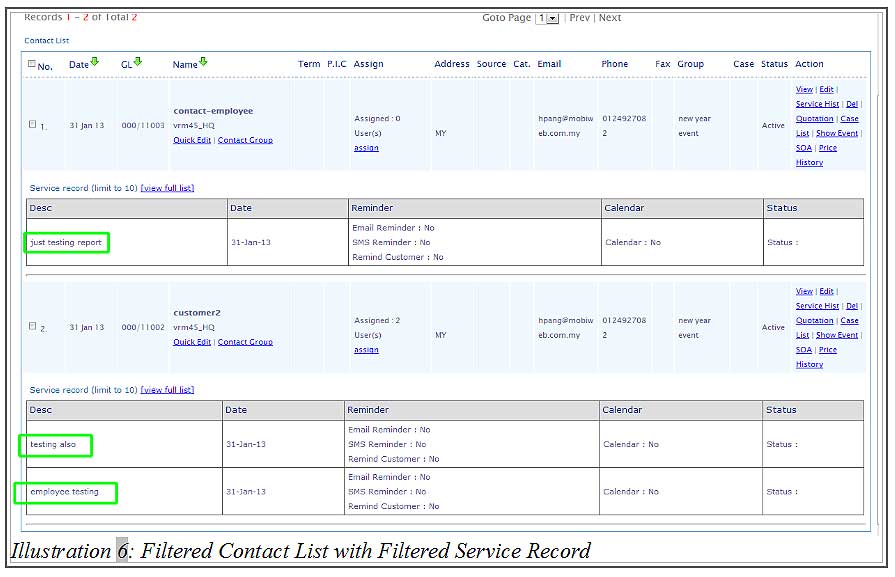
6. All contacts with the service records containing the word in the description will be displayed in the list.
Please click on image to view clearer.