
Creating new customer contacts is CRM system’s most basic and an important step. CRM Malaysia allows you to store various details of your customers including name, address, contact numbers, email address, profile photo, language and so on. In a way, it also helps to increase the lead conversion rate.
In CRM Malaysia, customer contacts will be associated with other records and multiple activities e.g.:
- Cases
- Tasks and events
- Sales orders, invoices, quotations
- Email or SMS campaigns
Below is a demonstration on how to create and store a new contact.
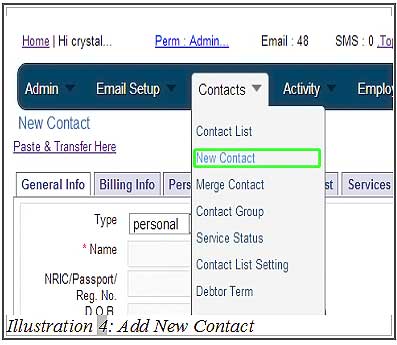
1. To add a new contact, go to Contact > New Contact
Please click on image to view clearer.
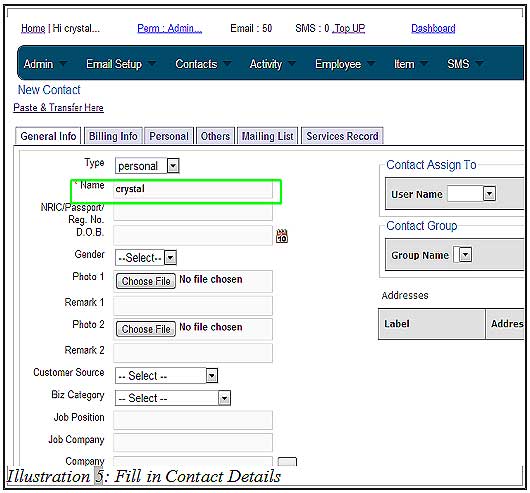
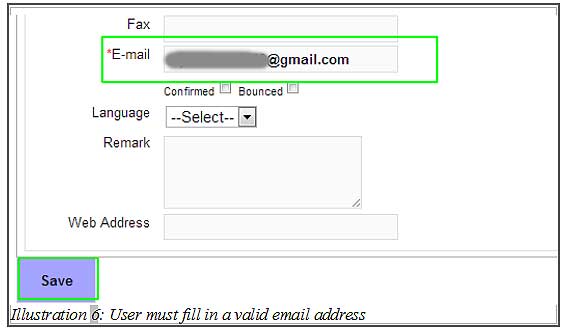
2. Make sure all the information the you need has been filled in, especially the Contact Name and Email columns. Next, save the contact by clicking on the Save button provided.
Please click on image to view clearer.
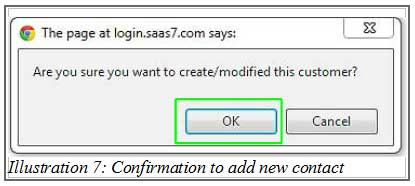
3. An alert message would appear for your confirmation.
Please click on image to view clearer.
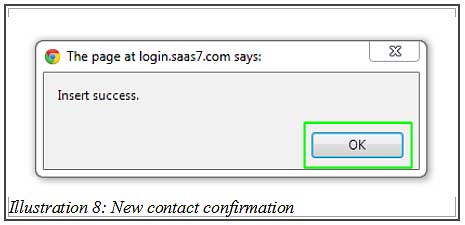
4. Another message will be prompt to inform you that the details have been successfully inserted.
Please click on image to view clearer.
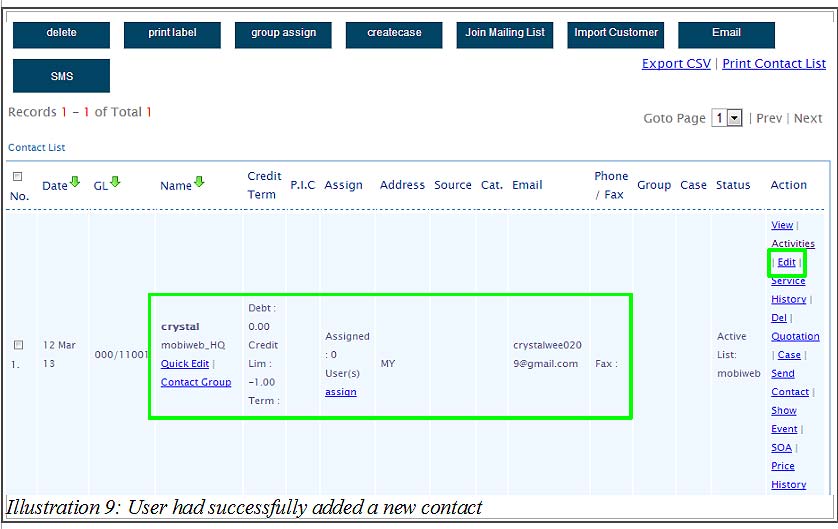
5. CRM Malaysia would then redirect you to view the newly created contact. In case you have missed out any information, may edit the contact’s detail by click “Edit” at the most right column of the row.
Please click on image to view clearer.