

CRM Malaysia allows you to upload company letterhead. This company letterhead could be useful when your invoices, quotations, cash sales and so on needs to be personalised to your company sending email to others. Company letterhead could be used when sending a task email.
We will demonstrate on how to upload company letterhead.
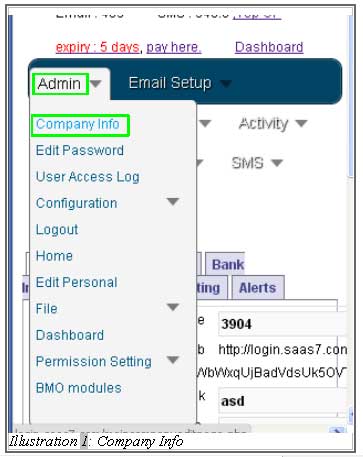
1. Click on Amin > Company Info as illustrated below.
Please click on image to view clearer.
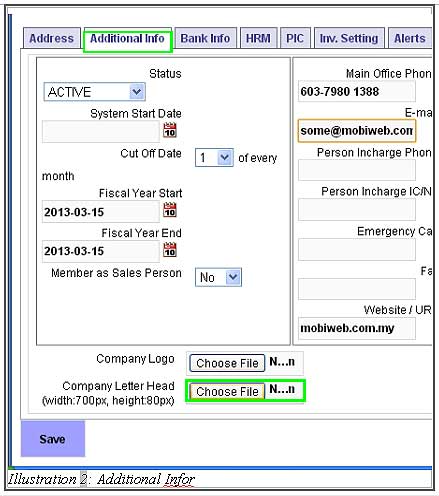
2. Next, click on Additional Info and Choose File to choose the images or logo in your local computer.
Please click on image to view clearer.
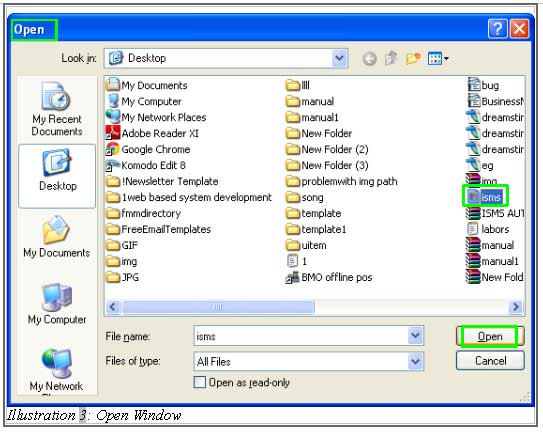
3. The Open window would appear for you to choose the images or photo from your local. Select the images or logo of your company and click Open to upload the images or logo.
Please click on image to view clearer.
4. The images or logo is now uploaded. Click on Save to save the images or logo.
Please click on image to view clearer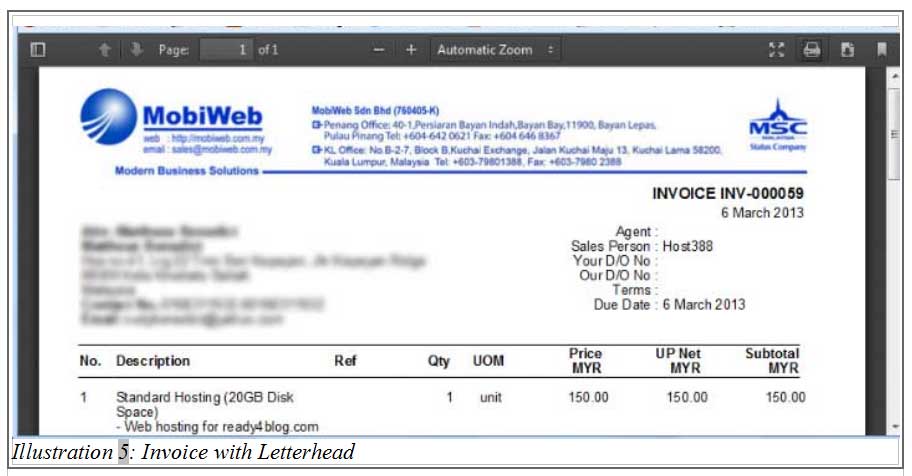
The company letterhead will be added to the top of the document whenever it is required throughout the system.