
Sometimes, you need to upload files which is related to your case for your customer’s reference. By using CRM system, you can upload your file when creating new case or editing an existing case. All will then be automatically stored in a folder associated with CRM case.
Below is a guide to show you how to upload files.
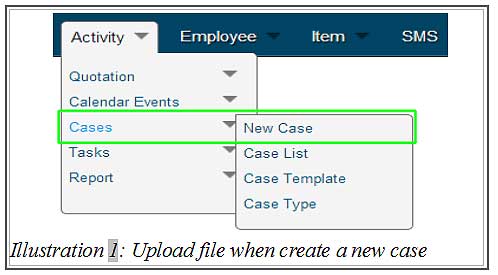
1. Click on “New Case” (Activity > Cases > New Case).
Please click on image to view clearer.
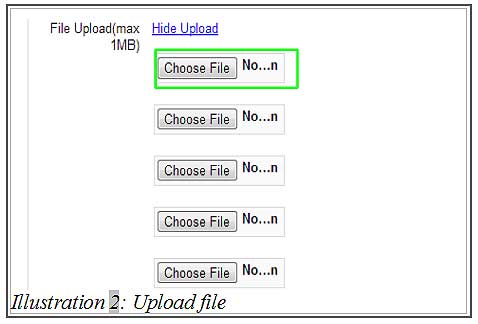
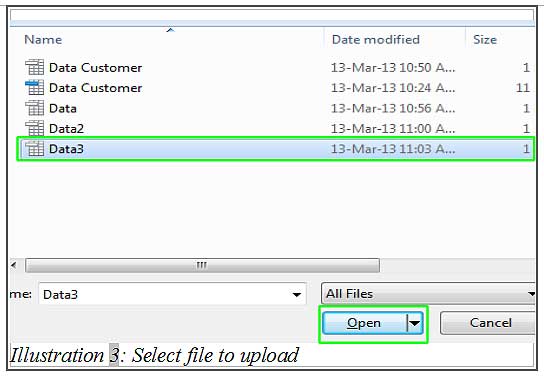
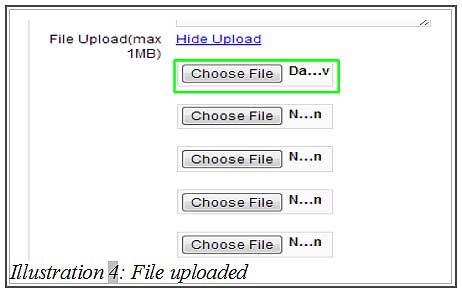
2. You will get a case form. Fill in the case details. Click on “Choose File” to select a file from your computer. If you select file successfully, it will show out the file name in the text field beside the “Choose File” button. If you have completed the step, click “Submit” at the bottom of your browser.
Please click on image to view clearer.
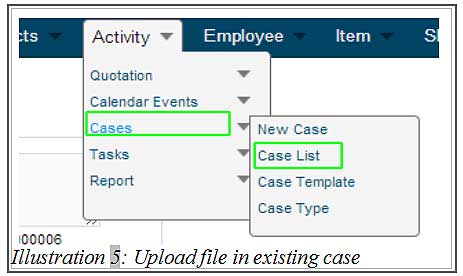
3. If you want to upload file for an existing case, you need to click on “Case List” (Activity > Cases > Case List) and click on “Edit”.
Please click on image to view clearer.
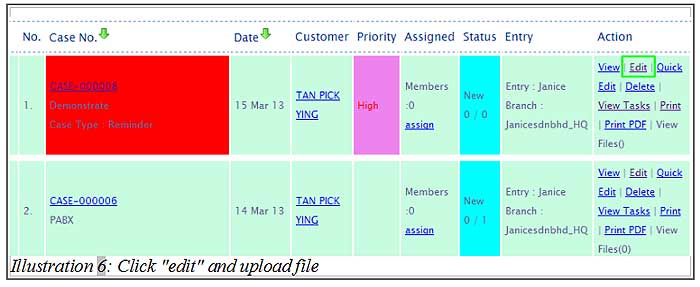
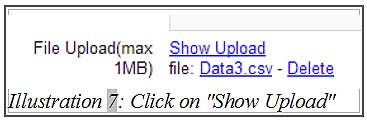
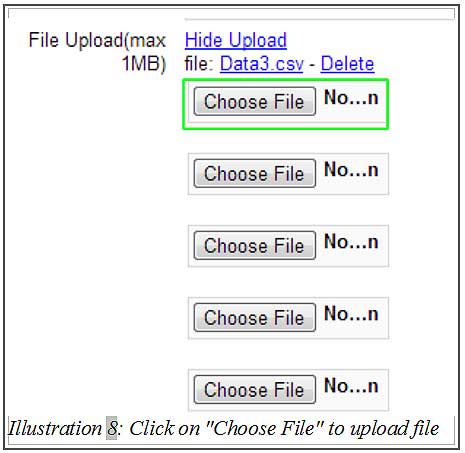
4. Click on “Show Upload”. Then, click “Choose File” to select a file from your computer. If you have completed those steps, click “Submit” at the bottom of your browser.
Please click on image to view clearer.