Get and organise enquiries
Keep workshop prospects in Customer CRM with source, owner and follow-up.
iCRM connects customer acquisition, campaign reporting, participant registration, crowd attendance, workshop fees, trainer commission and follow-up in one business workflow.
Keep workshop prospects in Customer CRM with source, owner and follow-up.
Upload exported Google Ads and Facebook reports into iCRM.
Let participants choose a workshop date and receive their attendance QR.
Use event capacity, rosters and several attendance methods.
Review participant statements and link payment evidence.
Use customer history, groups and messaging for the next workshop.
iCRM helps keep marketing, participants, attendance and money connected so your team does not need a separate spreadsheet for every stage.
A workshop organiser often has advertising reports in one place, enquiry details in phones, participant names in a spreadsheet, attendance on paper and fee status in another file.
Marketing cannot see the customer outcome.Campaign activity and real enquiries are reviewed separately.
Operations rebuilds participant lists.Every session starts with another manual copy of the roster.
Attendance and payment do not match.The team knows the total shortage but not which participant needs follow-up.
Past participants are forgotten.There is no clean customer history for the next workshop campaign.
Capture the enquiry, source, group, assigned salesperson and next action.
Record the campaign and upload the exported Google or Facebook report.
Create workshop dates, register participants and manage attendance.
Review statements, balances and linked receipt, invoice or cash-sale references.
Reach selected groups and continue the relationship after the workshop.
Each stage below uses an existing iCRM capability. The result is a customer-facing workflow that begins before registration and continues after the programme ends.
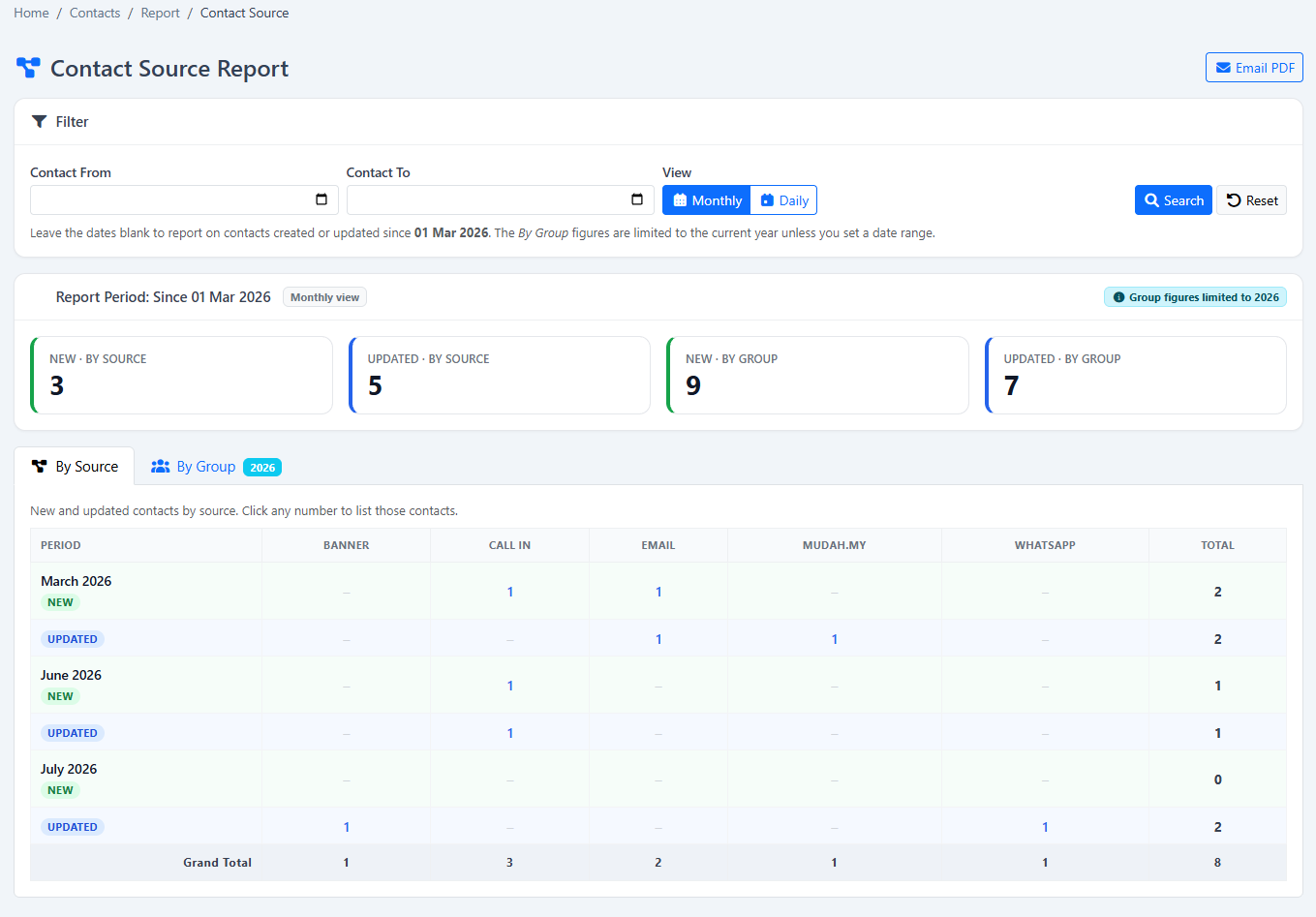
Keep the prospect’s details, files, source and conversation history in Customer CRM. Assign the enquiry to the right salesperson and schedule the next follow-up, so the lead does not disappear in a personal phone.
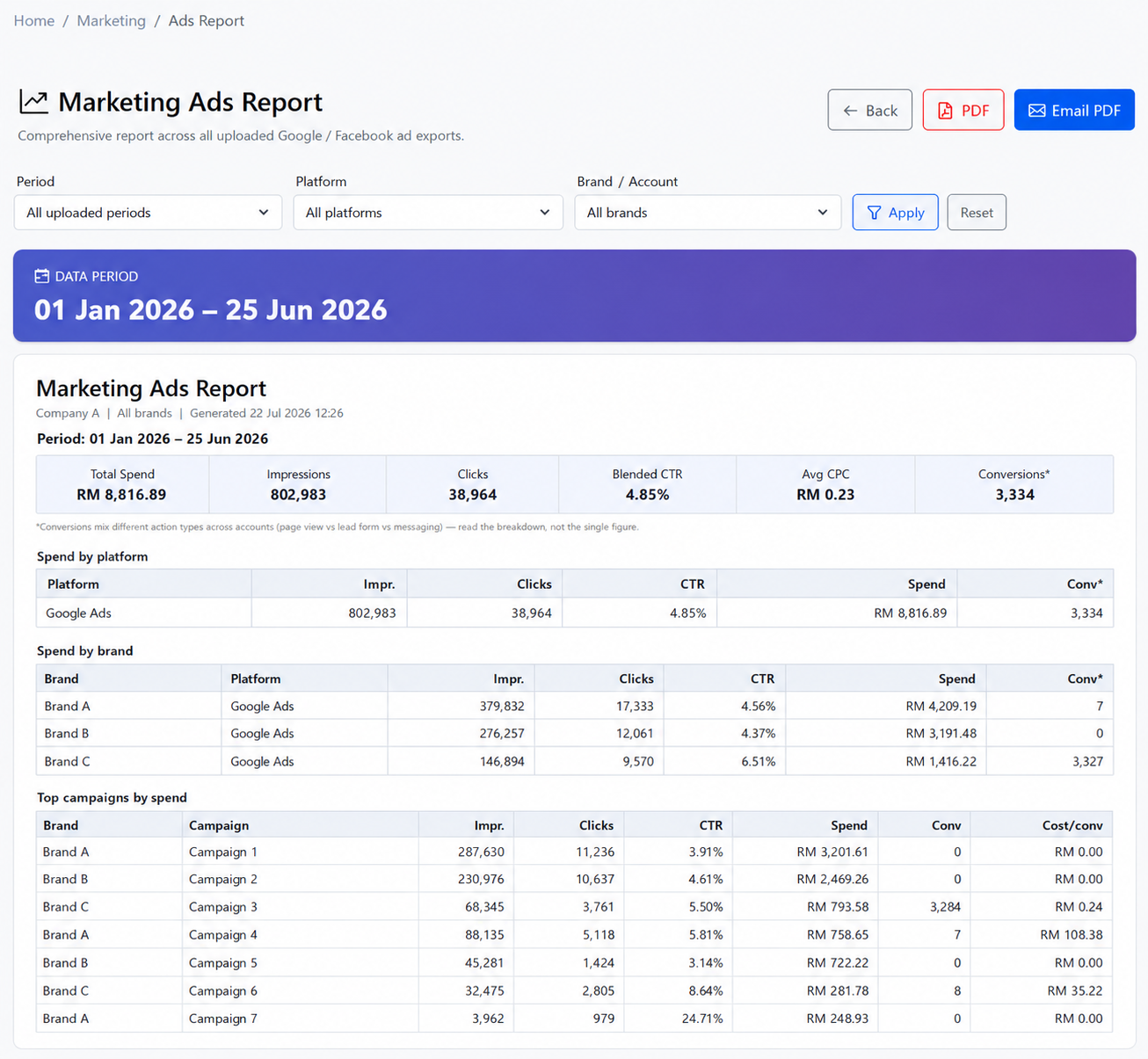
Create a structured campaign record, then upload exported Google Ads or Facebook campaign reports. Review the advertising report inside iCRM alongside the customer-source and quotation information available in the platform.
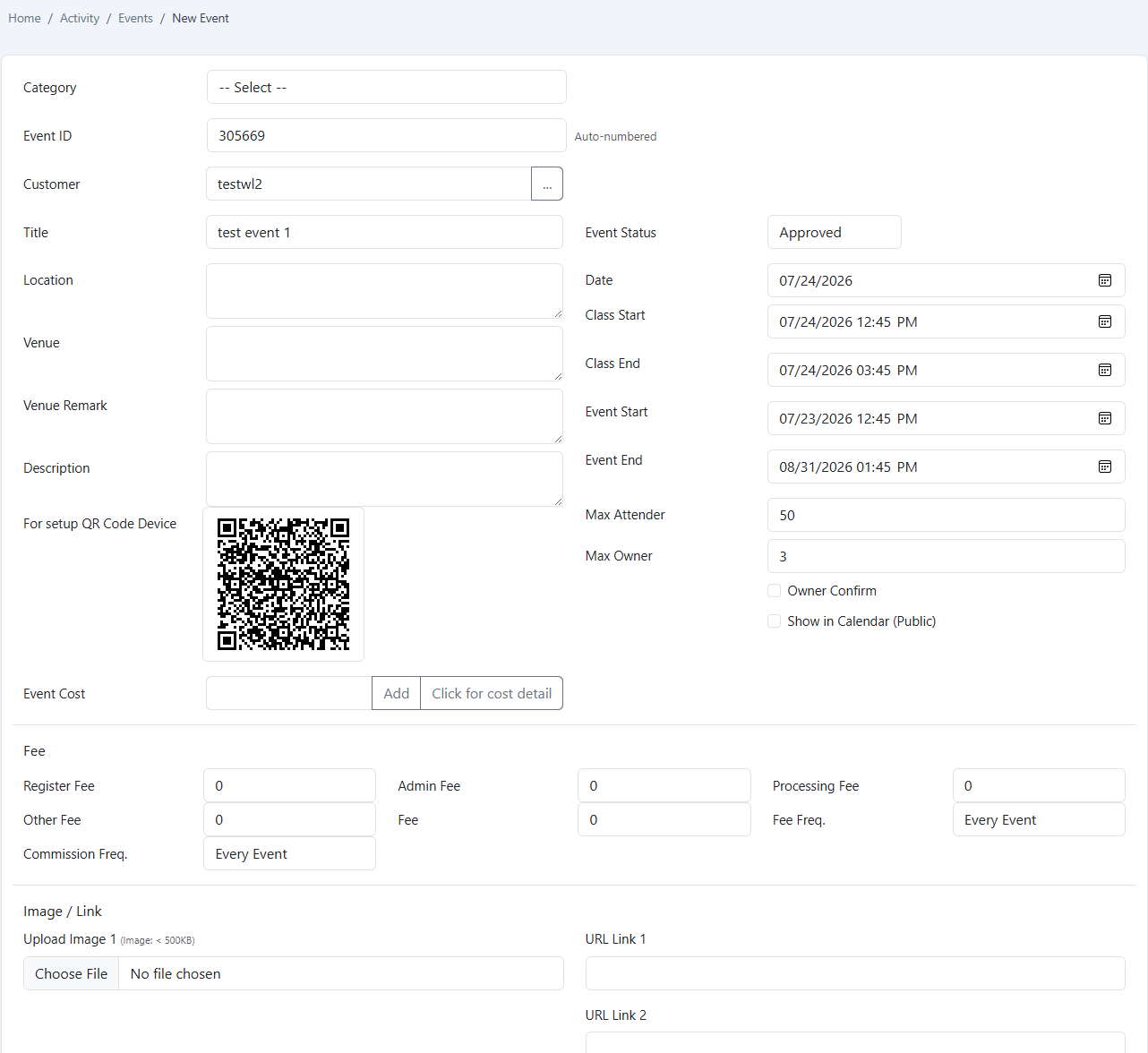
Build a parent event with the workshop title, venue, first date, full programme period, capacity, fees and owner controls. Generate child dates daily, weekly, monthly or yearly instead of rebuilding each session manually.
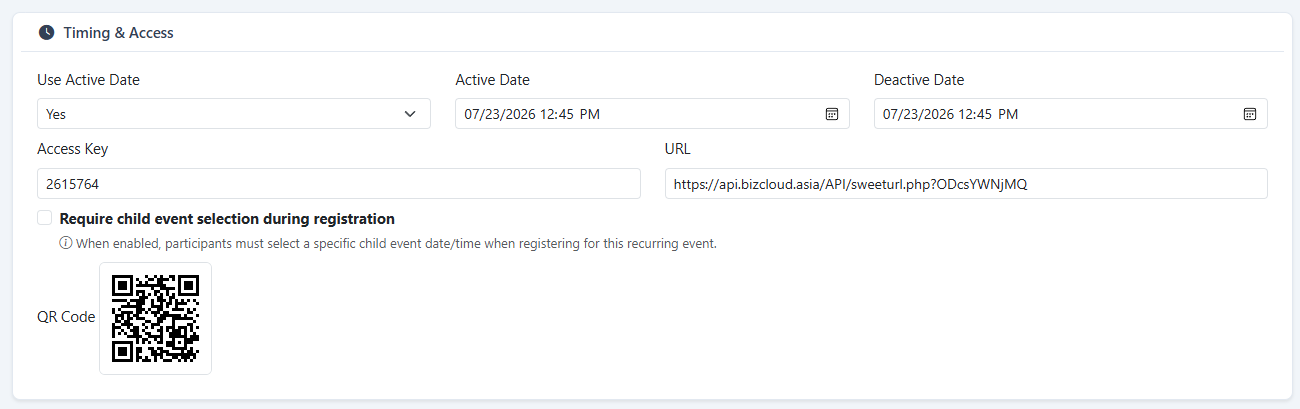
Participants can scan a registration QR, choose the relevant workshop date and complete a mobile form. The flow can include email verification, confirmation and a personal QR for attendance. Administrators can also select CRM contacts, import a list or add a non-contact directly.
Register a QR terminal to the workshop and scan each participant’s personal code. A staffed Android device can load the roster for one-by-one marking, while administrators retain a manual attendance option when required.
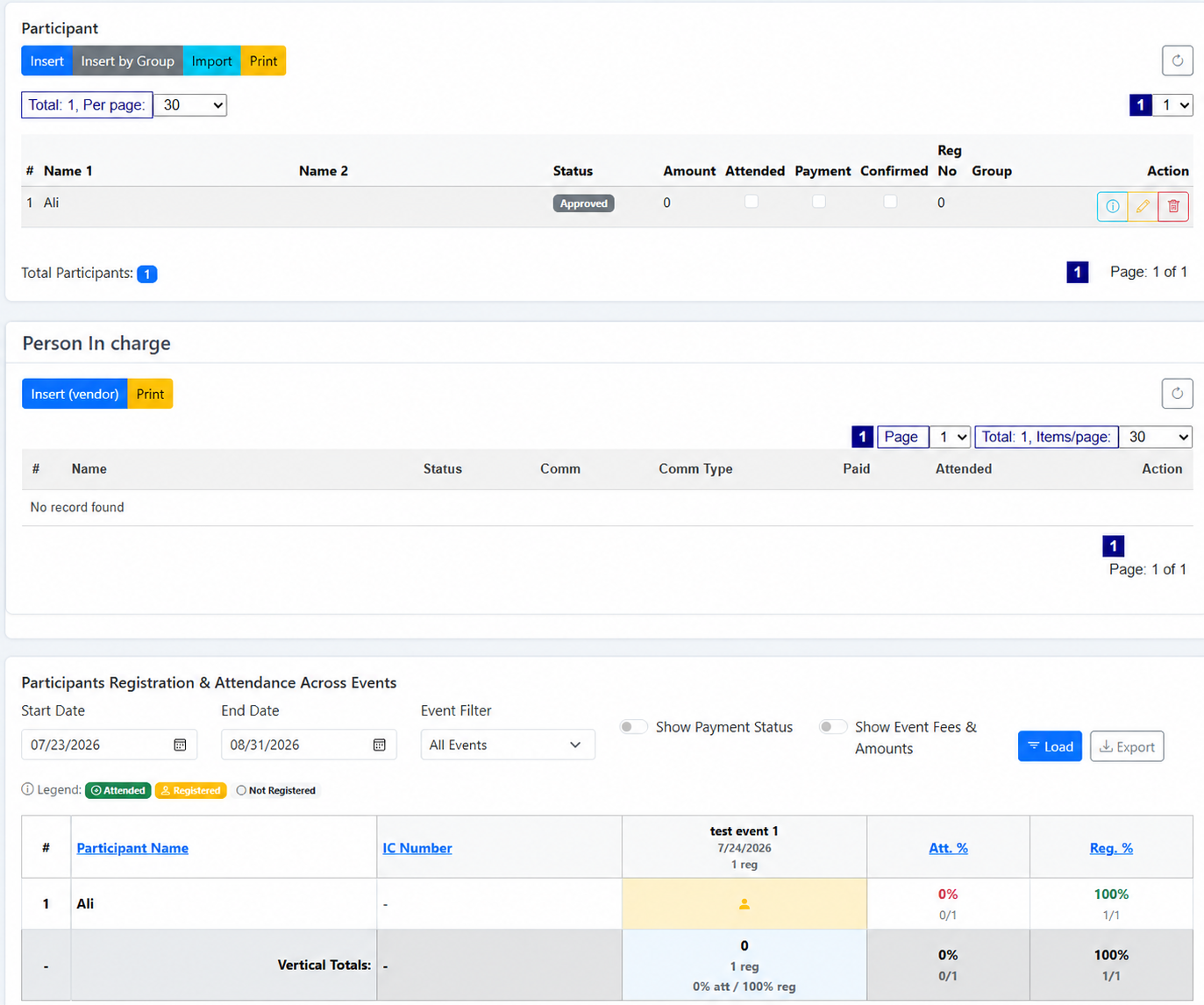
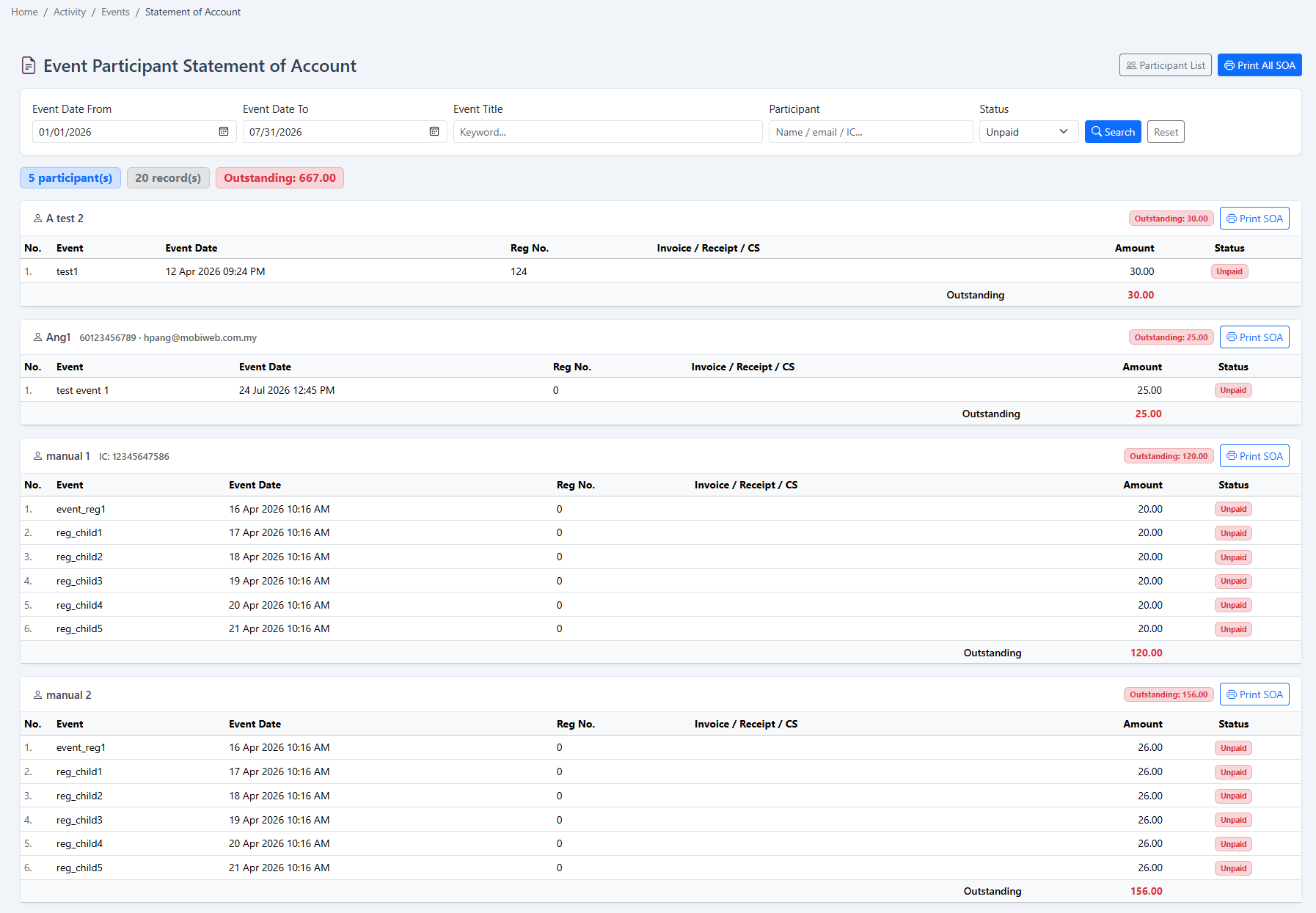
Use the participant statement of account to review charges and outstanding balances by person. Search, print or send statements, then link the correct receipt, invoice or cash-sale reference to the participant record.
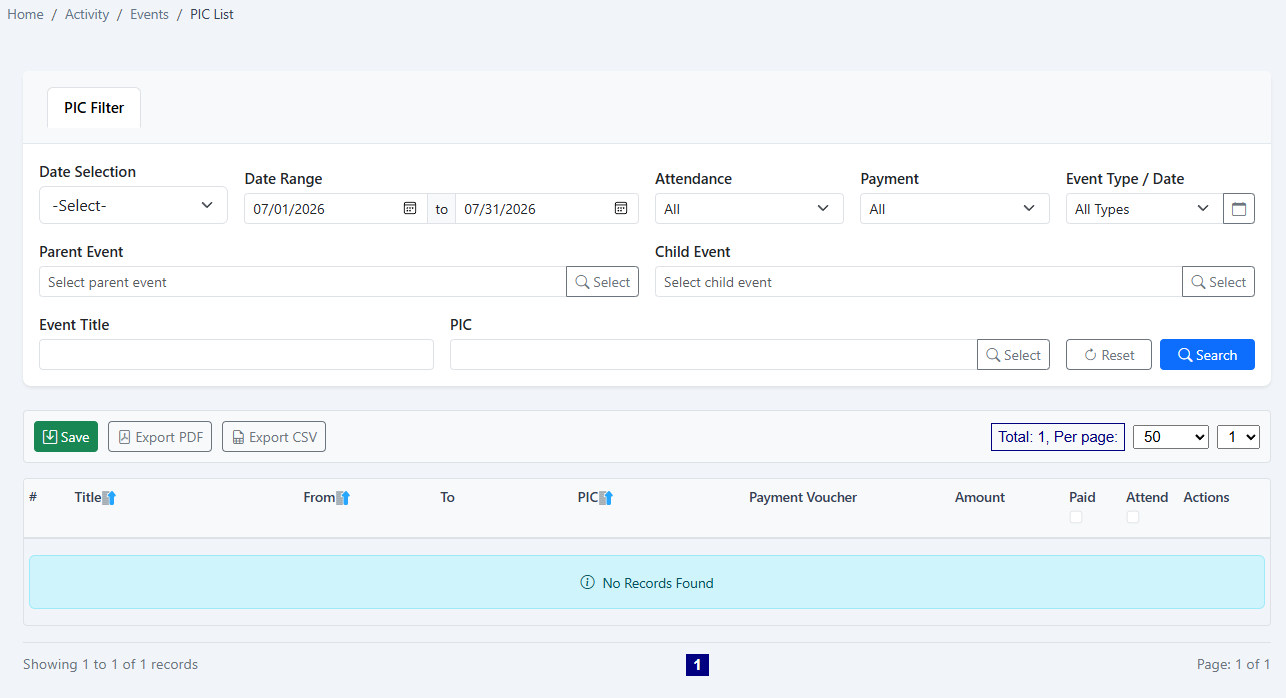
Select the trainer or person in charge from the vendor list, confirm attendance and manage commission with voucher and paid status. After the workshop, the customer history, source, group and communication tools remain available for the next campaign.
Whether you run public business seminars, corporate training, certification sessions or paid community workshops, the same iCRM records can support the commercial and operational teams around the programme.
iCRM gives each team a practical place to check the part of the workshop they are responsible for.
Review campaign records, uploaded ad-platform reports and the sources recorded on customer enquiries.
Use named ownership, customer history and personal follow-up queues instead of relying on memory.
Use parent and child events to keep repeated dates and their participant rosters separated correctly.
Capture attendance through QR, Android or manual marking against the relevant workshop date.
Review the participant statement and the receipt, invoice or cash-sale reference attached to it.
Use the event PIC list to review attendance, commission, voucher and paid status.
The same core workflow can be configured around the programme, participants and fee process your business already uses.
Capture advertising enquiries, manage public registration and follow up the participant list after the event.
Create workshop dates for company customers and maintain attendee and payment records by programme.
Run repeated sessions, control attendance and keep the participant account connected to the correct date.
Manage limited capacity, QR check-in, recurring sessions and trainer commission.
Allow people outside the current CRM list to register through a mobile-friendly QR journey.
Import an existing participant list, mark attendance and send participant statements when fees apply.
Record campaign activity and customer source, then connect the event roster to future follow-up.
Generate weekly or monthly child events and adjust only the session that changes.
Yes. Create one parent workshop, then generate child dates daily, weekly, monthly or yearly. A one-off workshop can remain as a single event, while a recurring programme keeps every date connected to the same parent.
Yes. A person can register through the public workshop QR flow even when they are not an existing iCRM contact. Administrators can also import a list, select existing contacts or add a participant directly.
Yes. The public registration flow can send a personal QR to the participant. The workshop attendance terminal can then scan that personal QR against the relevant event.
Set the event capacity, keep the roster on the correct workshop date and choose an attendance path: QR terminal, Android attendance list or manual marking. The feature supports crowd administration; it is not presented as a physical security or access-control system.
Yes. The participant statement of account shows charges and outstanding balances by participant. The team can search, print or send statements and link the relevant receipt, invoice or cash-sale reference.
The supported marketing workflow is based on uploading exported Google Ads and Facebook campaign reports. This page intentionally does not claim an automatic live advertising API connection.
Yes, when the relevant company sending channels are configured in Omnichannel Messenger. Campaigns and operational reminders can then use the approved WhatsApp Business API, SMS or email accounts available to the organisation.
Yes. The trainer or person in charge is selected from the vendor list. Attendance, commission amount, voucher reference and paid status can be maintained in the event PIC workflow.
We will map your real enquiry, registration, attendance and payment process to the iCRM modules that support it—without adding features you do not need.